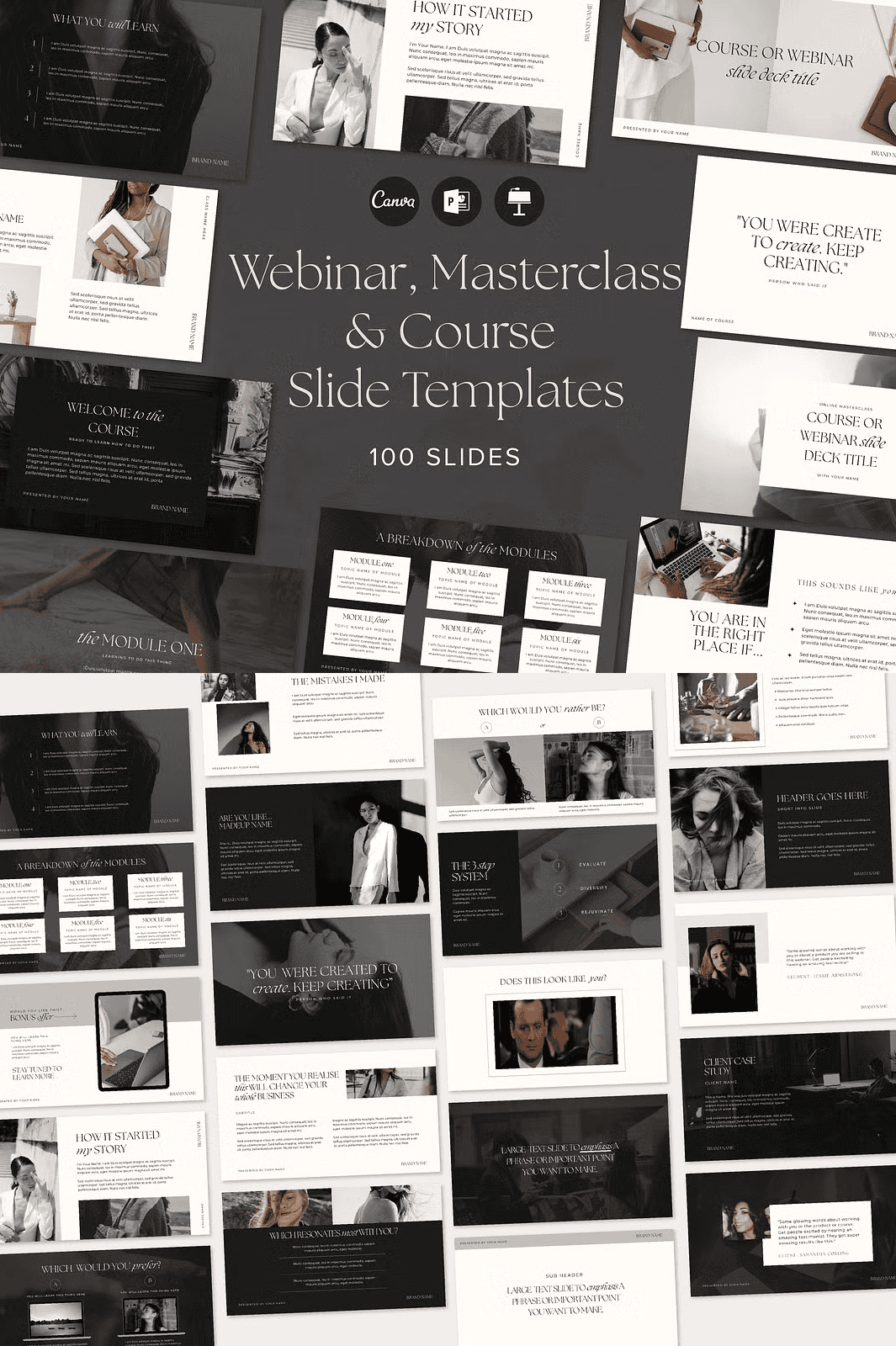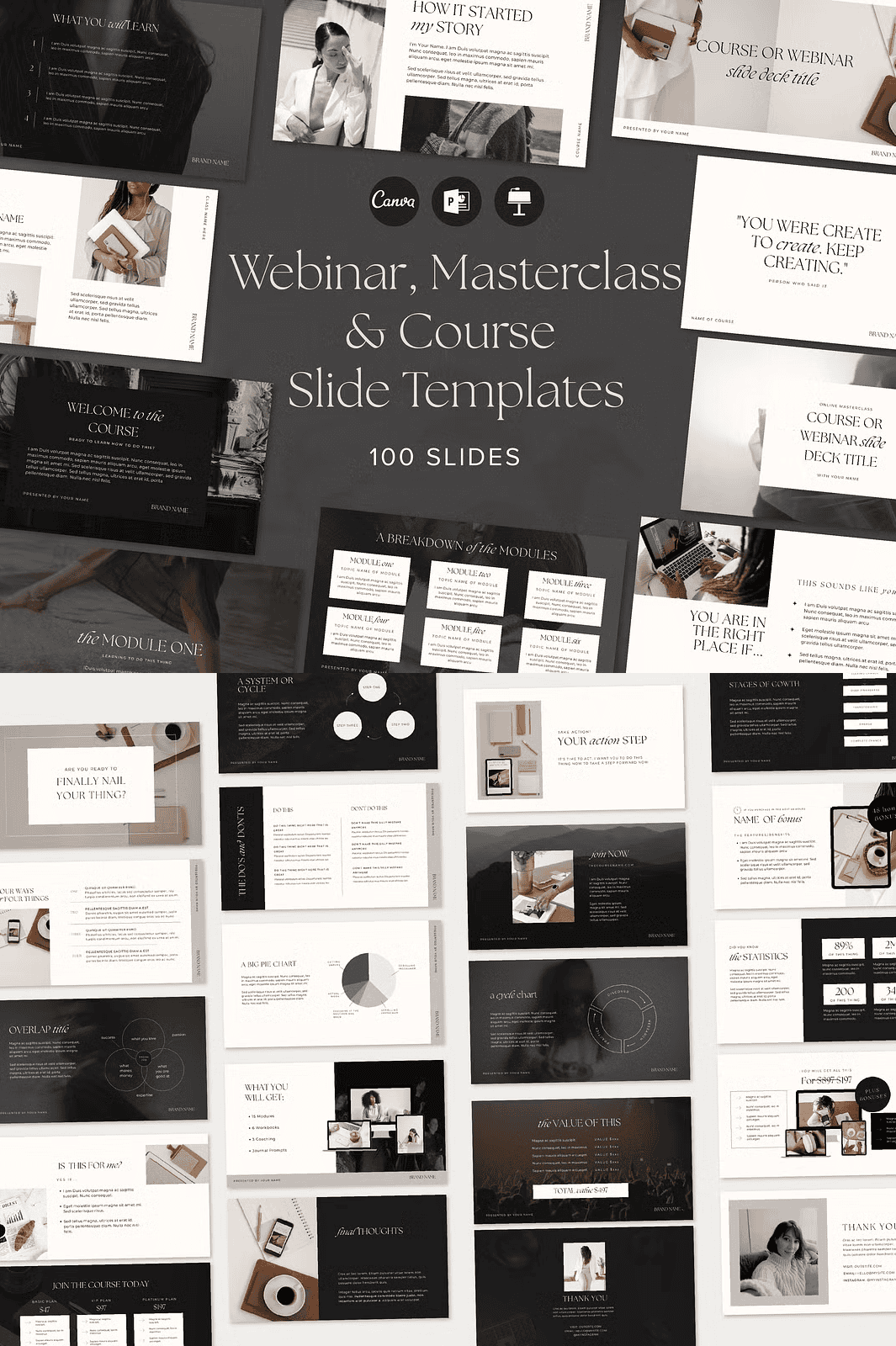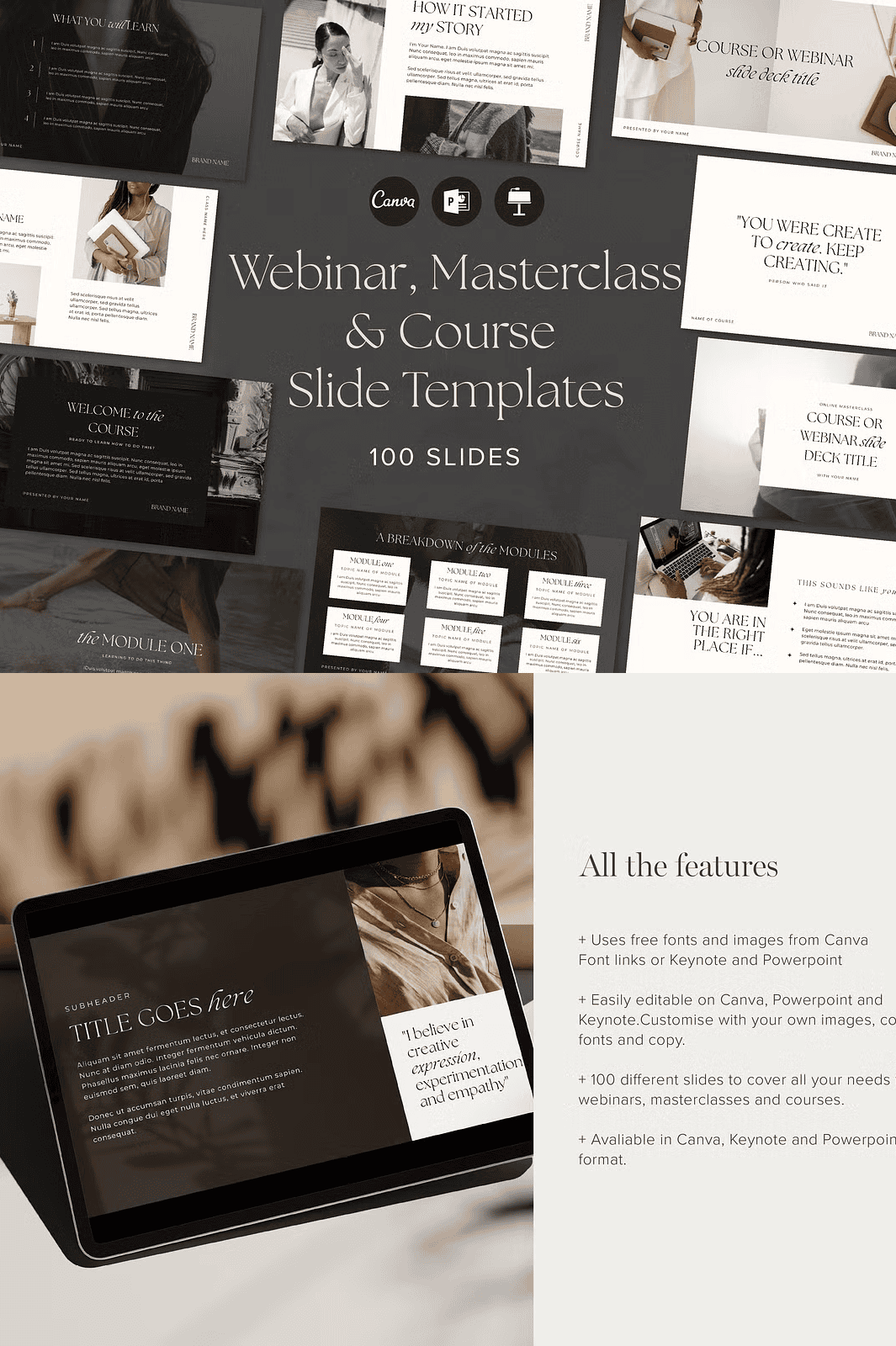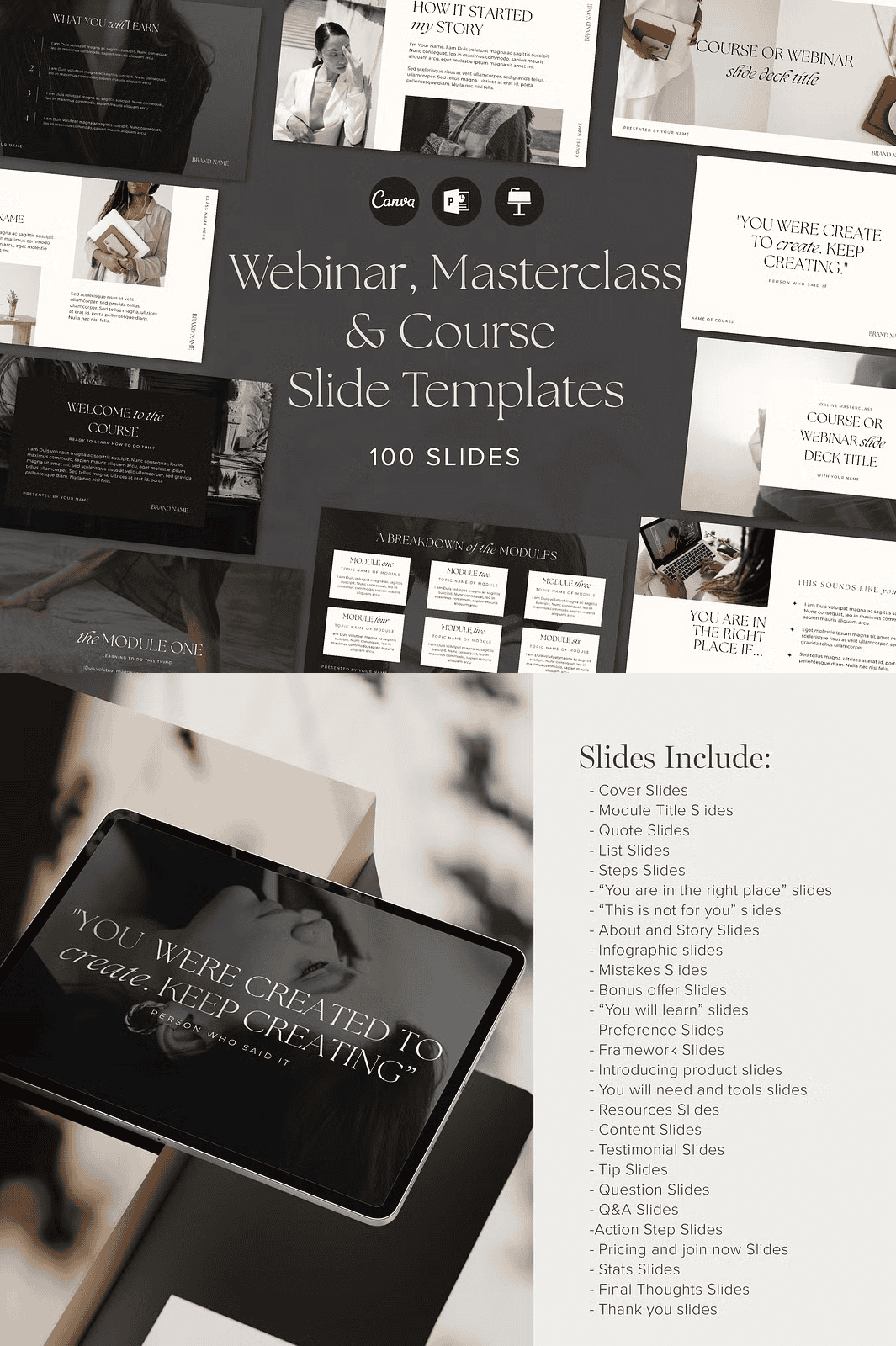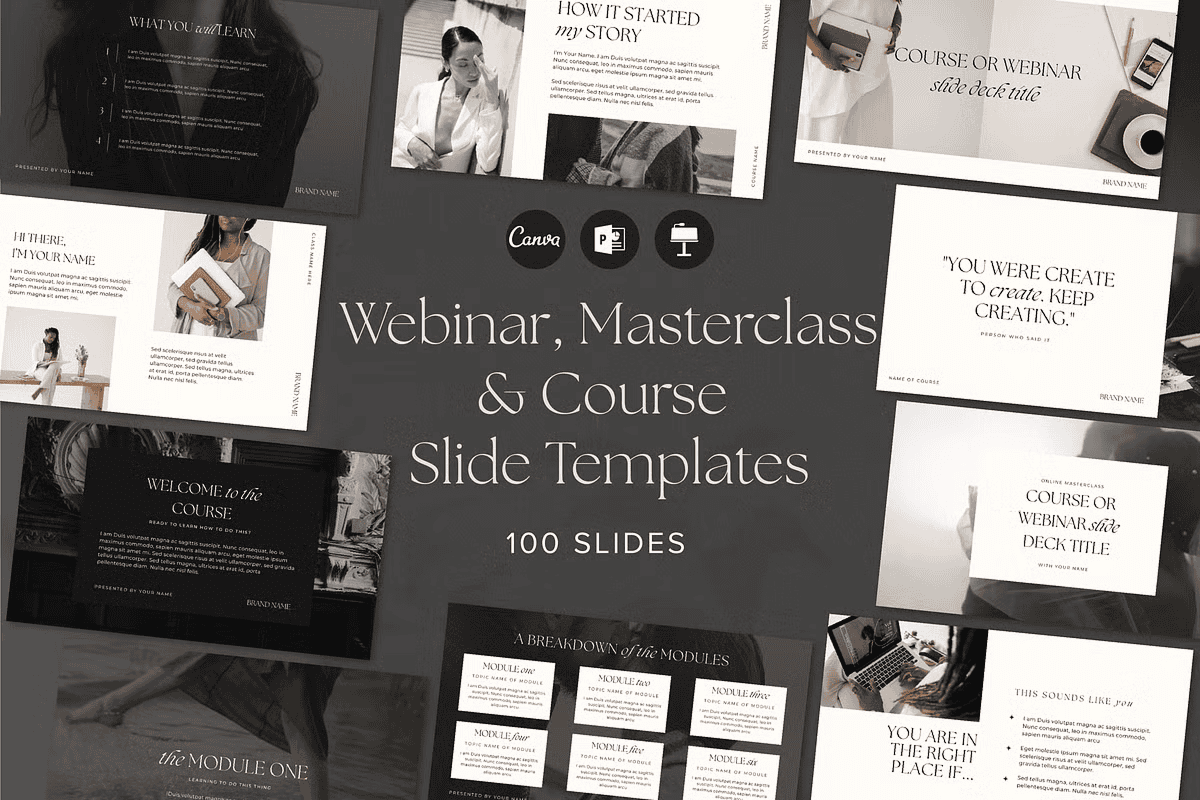

Launch High-Impact Online Trainings and Webinars with Professional Polish
Stop struggling with generic layouts and amateurish slides. Elevate your digital education with the **2-in-1 Webinar and Course Slide Deck Presentation Template**, a meticulously crafted, luxury dark-themed presentation system designed specifically for course creators, educators, and online coaches. This powerful template isn’t just a collection of slides—it’s a complete content delivery engine that saves you hours, sharpens your messaging, and makes your courses feel premium.
Crafted by an experienced course creator, this 100-slide powerhouse includes **every slide type you need** to lead compelling webinars, structure comprehensive courses, and convert viewers into committed students. Whether you’re launching a masterclass, hosting a live training, or building a long-form course, this kit gives you the confidence and clarity to lead with authority.
Available in **Canva, Keynote, and PowerPoint**, the template ensures frictionless access, regardless of your preferred design platform. Use it on free Canva plans or upgrade to Pro—no restrictions.
Master Every Stage of Your Course with Purpose-Designed Slides
This template delivers **all the critical structural and emotional touchpoints** your learners need, seamlessly woven into a cohesive narrative flow:
- 15 Cover Slides – Command attention from the first second with sleek, dark-themed visuals that convey luxury and expertise.
- 12 Module Title Slides – Clearly define each learning unit with strong typographic hierarchy and consistent visual identity.
- 8 Quote Slides – Inspire and build credibility by showcasing powerful insights or student success stories.
- 10 List Slides – Present complex ideas or takeaways with clean, scannable formatting.
- 7 Steps Slides – Guide learners through processes with clear, actionable sequences.
- 5 “You Are in the Right Place” Slides – Build instant trust and connection by affirming your audience’s decision.
- 4 “This Is Not for You” Slides – Pre-qualify your audience with precision and confidence.
- 6 About & Story Slides – Share your journey, expertise, and mission to create deeper engagement.
- 8 Infographic Slides – Transform data and concepts into visually engaging, easy-to-digest visuals.
- 5 Mistakes Slides – Educate by showing common pitfalls—and how to avoid them.
- 6 Bonus Offer Slides – Boost conversion and perceived value with irresistible premium extras.
- 5 “You Will Learn” Slides – Set clear expectations and ignite motivation from the start.
- 5 Preference Slides – Gather insights and make your content feel personalized.
- 5 Framework Slides – Present your signature methodology with visual clarity and impact.
- 6 Introducing Product Slides – Launch your course, coaching program, or service with elegance and authority.
- 5 “You Will Need & Tools” Slides – Prepare learners by detailing required resources and tools.
- 8 Resources Slides – Organize links, templates, and support materials in a professional, accessible format.
- 12 Content Slides – Deliver core teachings with clean, focused layouts that keep attention on your message.
- 6 Testimonial Slides – Prove results with authentic client feedback.
- 5 Tip Slides – Share quick, practical advice to enhance retention and engagement.
- 8 Question Slides – Encourage interaction and guide discussions during live trainings.
- 6 Q&A Slides – Structure live sessions with efficiency and professionalism.
- 6 Action Step Slides – Turn learning into action with clear, compelling next steps.
- 6 Pricing & “Join Now” Slides – Convert interest into enrollment with persuasive, high-converting designs.
- 5 Stats Slides – Back your authority with compelling data and industry insights.
- 5 Final Thoughts Slides – Deliver a powerful closing that reinforces your core message.
- 5 Thank You Slides – End on a positive, memorable note that strengthens connection.
- 3 Gif Slides – Add subtle motion and visual interest to key transitions or highlights.
- 5 “Do This Instead” Slides – Reinforce transformation by contrasting bad habits with better alternatives.
All slides follow a **1920x1080px** resolution, ensuring perfect clarity across projectors, webinars, and digital platforms—ideal for HD presentations and content sharing.
Take Full Creative Control in Minutes
No design skills? No problem. This template is engineered for speed, ease, and maximum impact—without sacrificing professional depth.
- 100% Editable Colors & Fonts – Instantly align the entire deck with your brand using customizable palettes and real-time font updates.
- Drag-and-Drop Ready – Replace placeholder text, images, and icons in seconds—no formatting headaches.
- Video Tutorials Included – A full walkthrough guides you through every edit, customization, and export step.
- Free-to-Use Font Links – All available free fonts are linked in the tutorial file. (Note: A premium serif font is used in the preview—its full version requires separate purchase.)
- No Master Slides – Edit any slide independently. Changes don’t propagate unexpectedly.
- Professional Transitions & Animations – Use smooth fade-ins and subtle motion cues to guide attention—never distract.
- 100+ High-Resolution Icons – Integrate professionally designed icons for tools, processes, challenges, and solutions.
Ready to Launch in Record Time
- Download the template pack with your preferred format (Canva, Keynote, PowerPoint).
- Launch the file and begin editing within seconds.
- Swap in your content, visuals, and branding—customized in under 10 minutes.
You’ll also receive a **comprehensive PDF guide** covering:
– How to sync your brand colors across all 100 slides
– Best practices for content pacing and slide timing
– Optimized export settings for webinars and course platforms
– How to repurpose slides into social media content and email sequences
Download the 2-in-1 Webinar & Course Slide Deck Template Today
Stop guessing how to structure your training. Start building confidence, credibility, and conversion—fast. Whether you’re launching a new course, running a live workshop, or training a team, this template gives you the tools to teach with impact.
Want More? Unlock the Full Course Creator Bundle
Take your course development to the next level with the Webinar & Course Resource Pack, featuring noteholders, script templates, email sequences, and promotional graphics—all built to work seamlessly with this slide deck.
Note: The preview images used in this template are for demonstration purposes only. They are not included in the download. All free-to-use assets and font links are provided in the tutorial file.