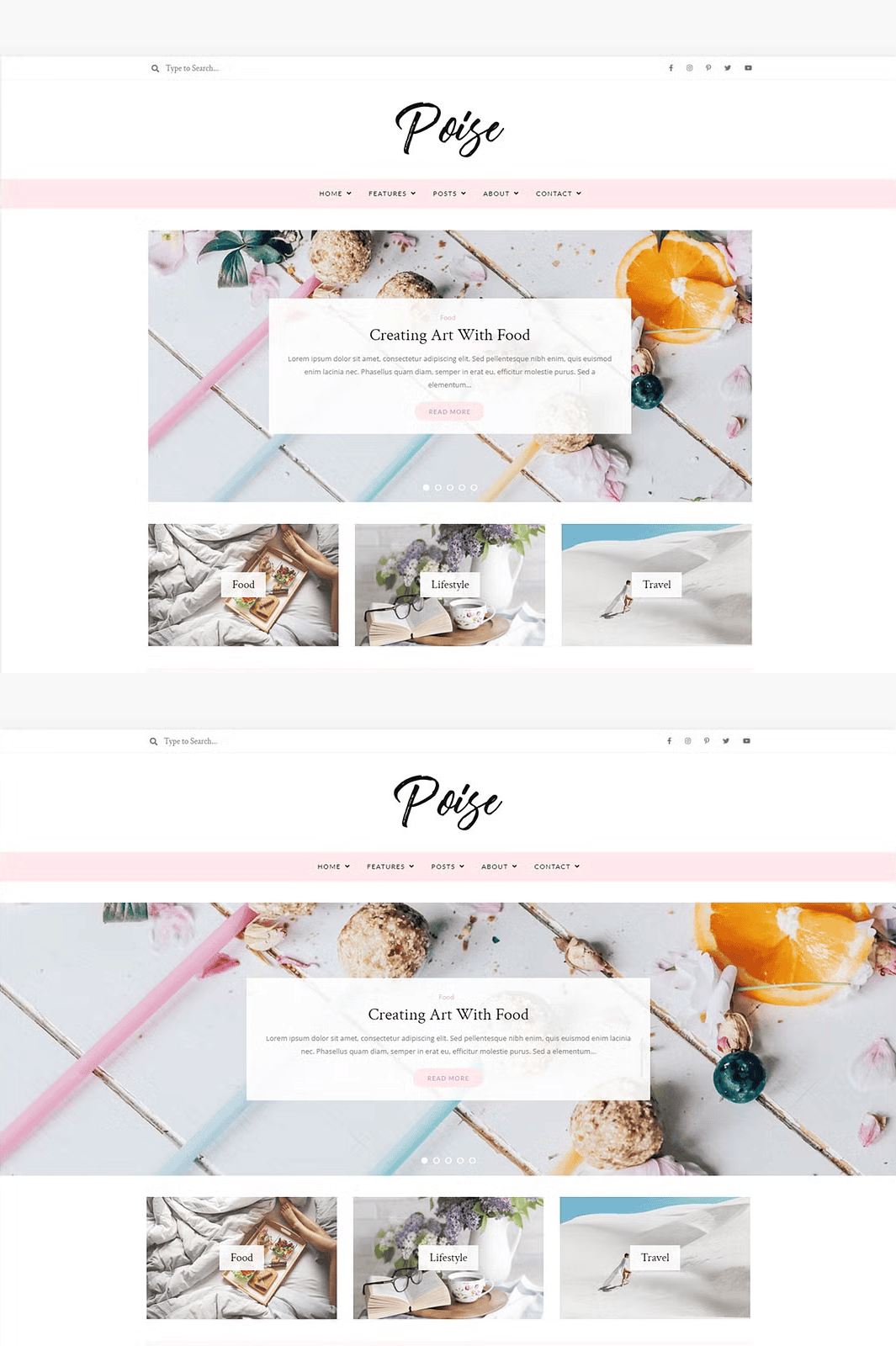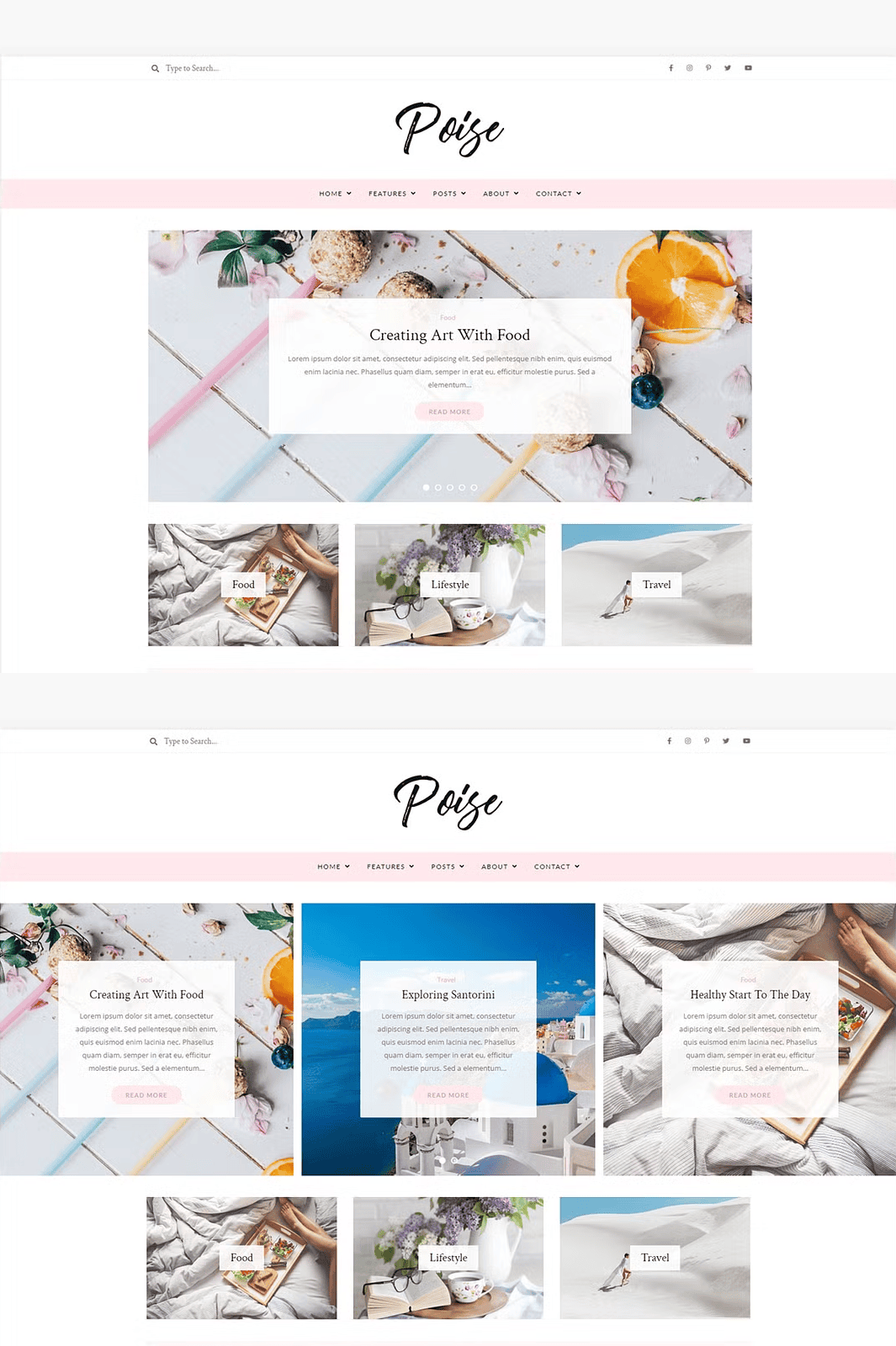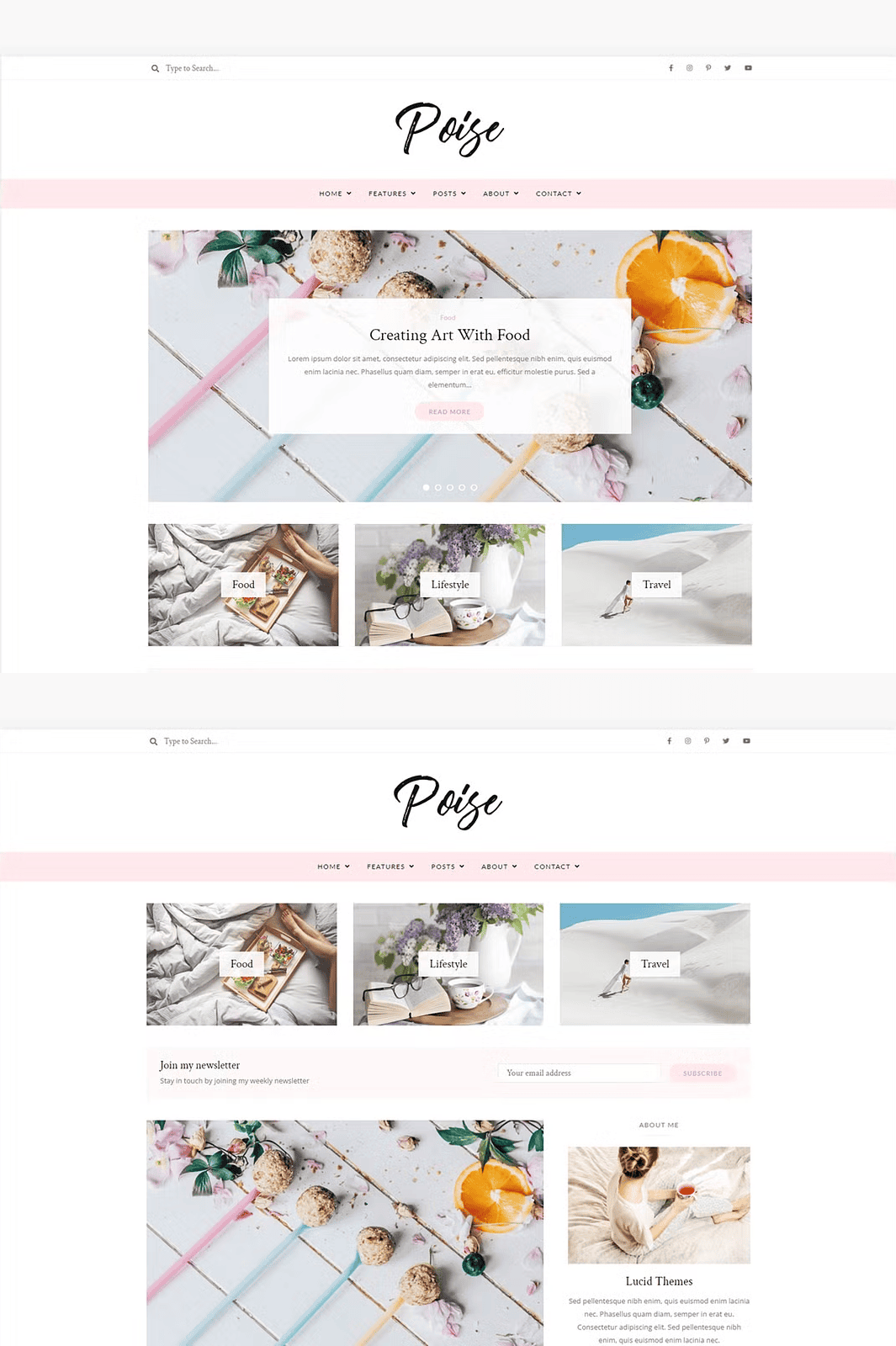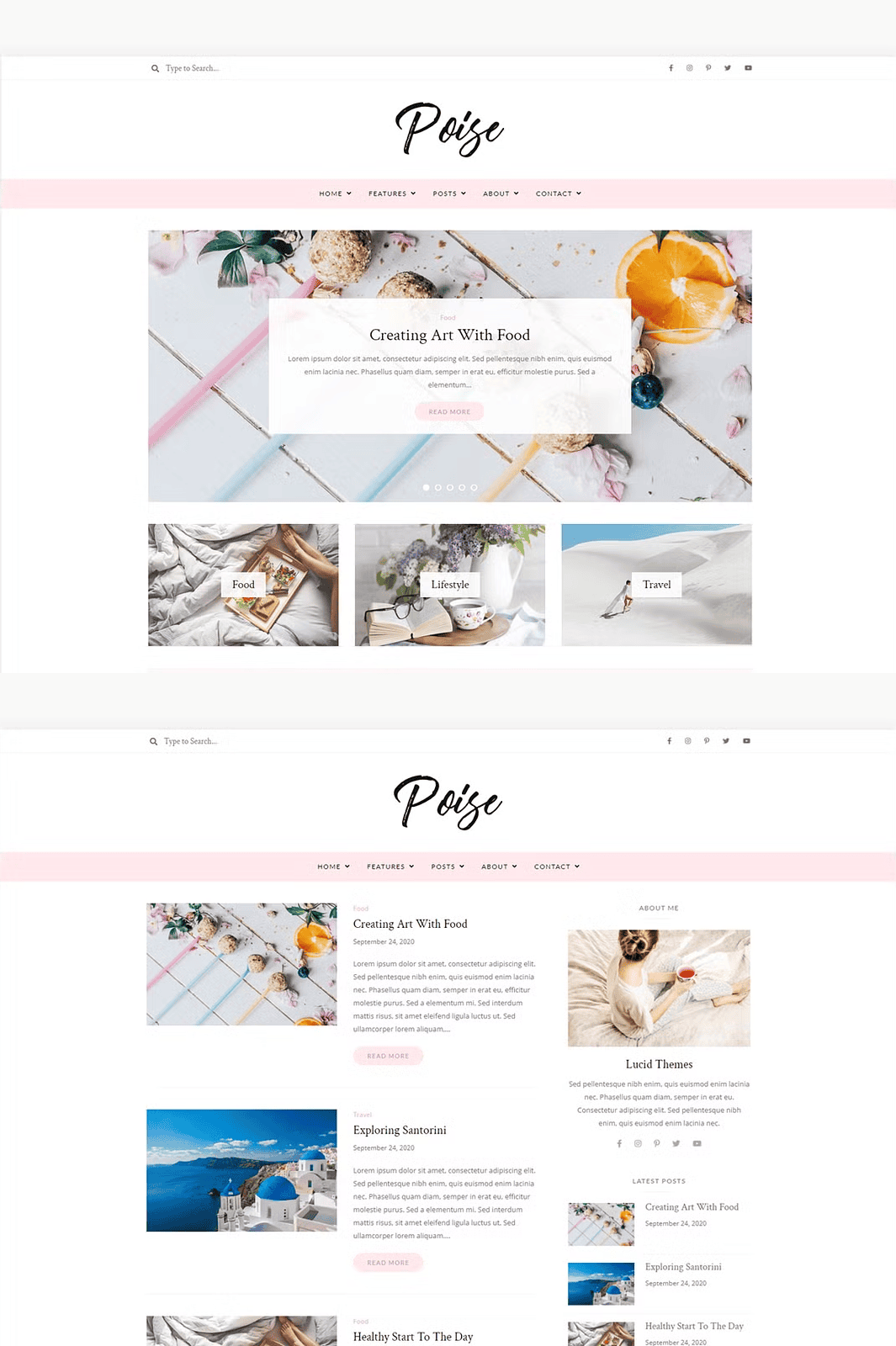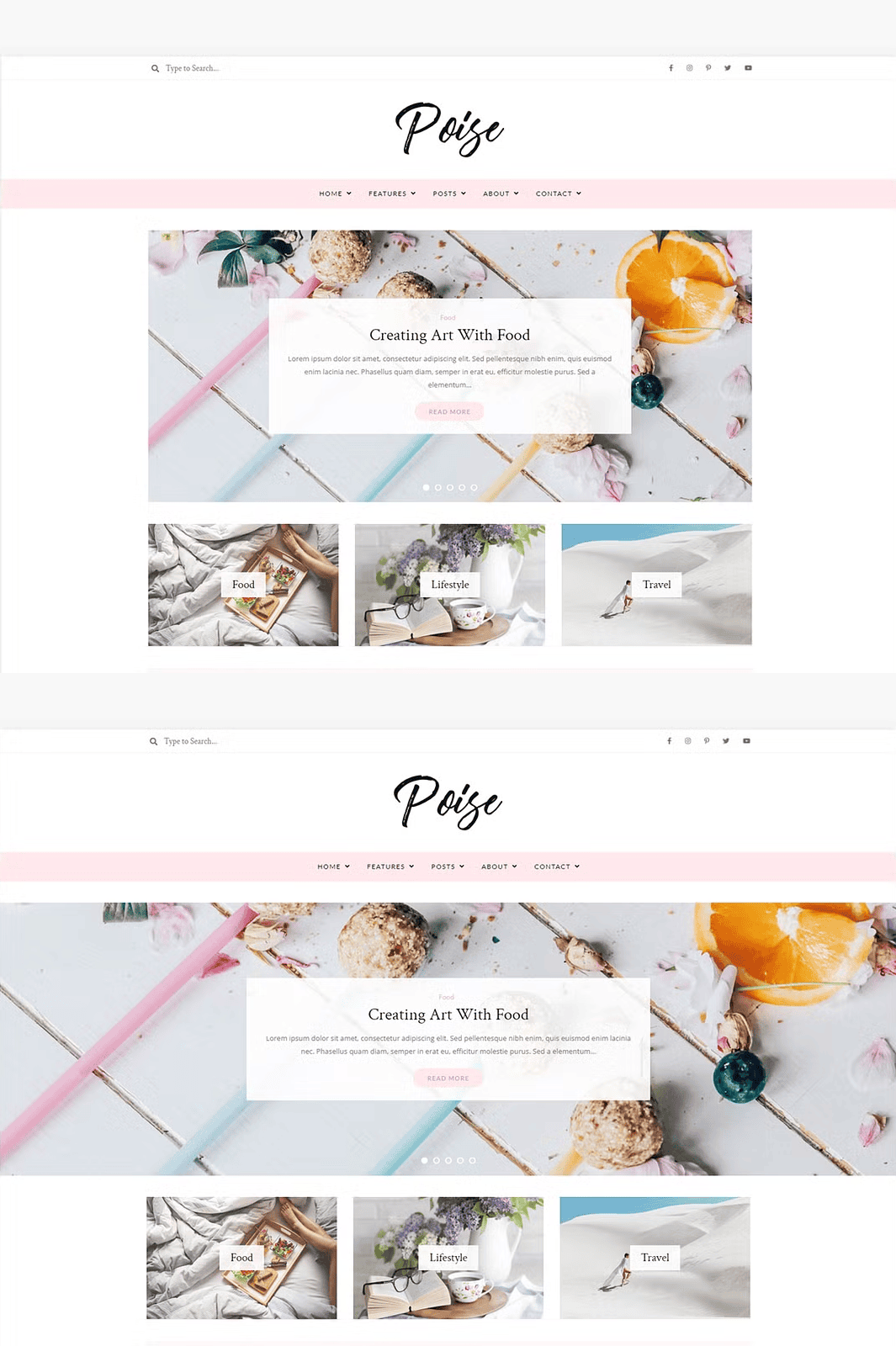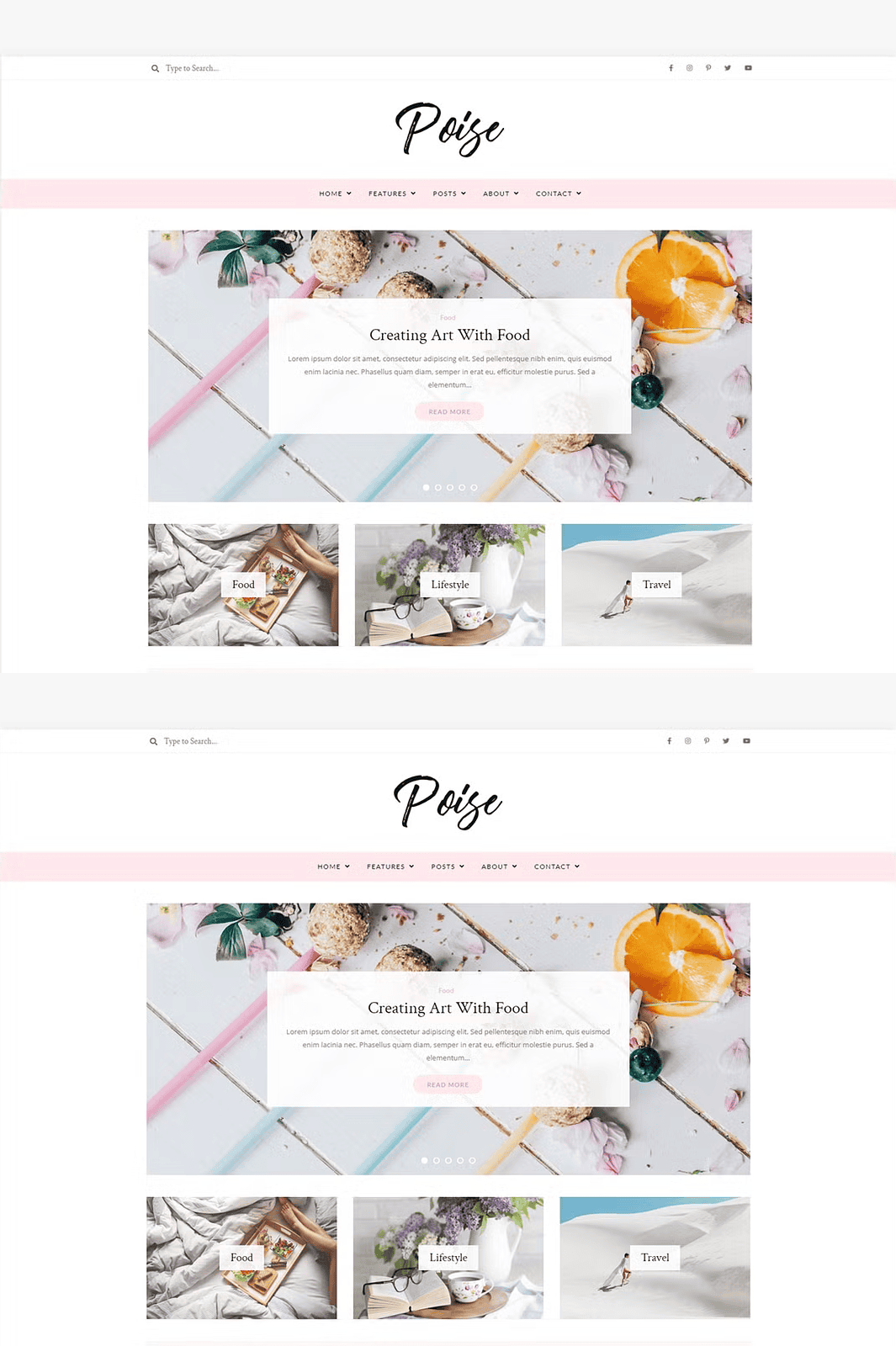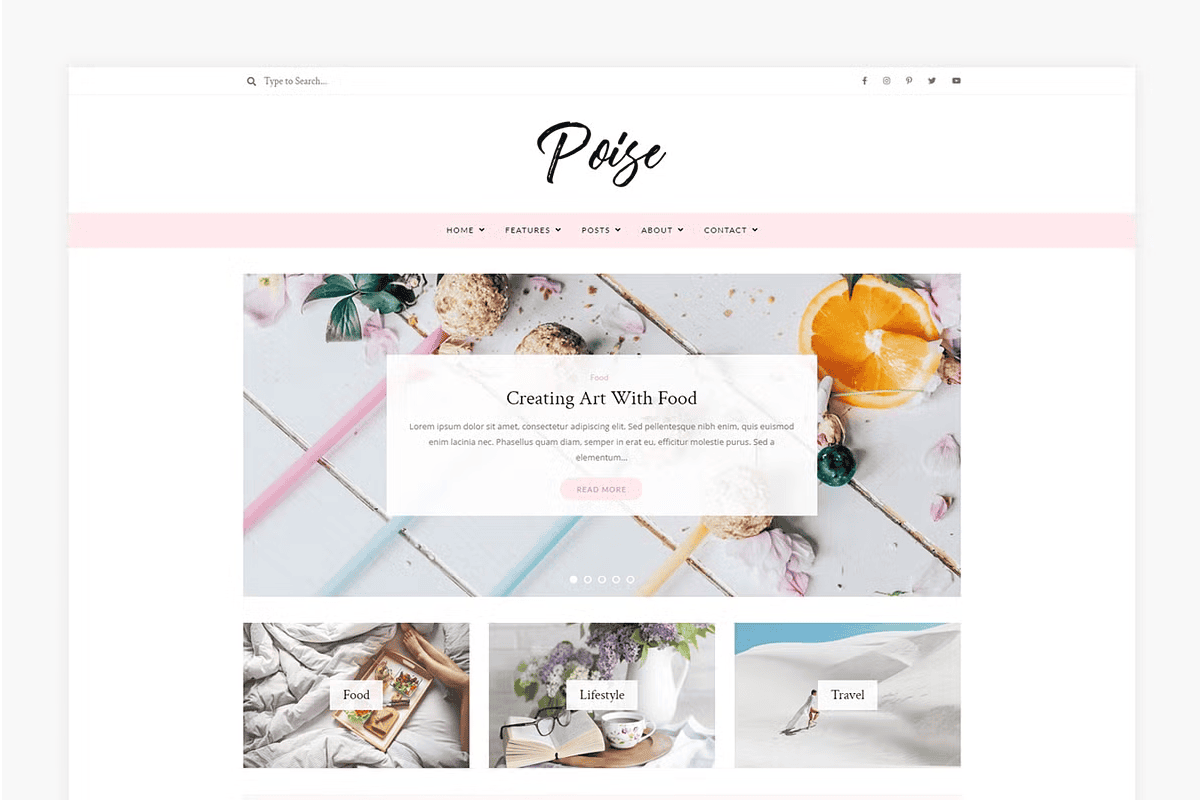

Take your content to the next level with Poise, a sleek, fast, and fully optimized WordPress blog theme crafted for modern bloggers, lifestyle writers, travel vloggers, and serious content creators. Engineered for speed, responsiveness, and creativity, Poise empowers you to publish stunning blog posts with zero coding knowledge. Whether you’re sharing travel stories, personal journeys, or expert insights, Poise makes your voice stand out every time.
✨ Built for Speed, Designed for Impact
Poise is not just a theme—it’s a complete publishing experience. With a clean, modern foundation and performance-optimized code, your blog loads faster, ranks higher, and keeps visitors engaged longer. Every element is engineered to support SEO excellence, intuitive navigation, and stunning visual storytelling.
- Gutenberg-Optimized Layouts: Create dynamic, unique blog post designs using the native WordPress Gutenberg editor. Drag, drop, and customize blocks with precision. No plugins. No complexity.
- One-Click Demo Import: Jumpstart your blog instantly with our fully ready-to-use demo content. Launch your site in under 60 seconds with a single click through the theme setup wizard.
- Mobile-Responsive Design: Poise adapts flawlessly to every screen—phones, tablets, laptops, and desktops. Your content looks perfect whether your readers are on the subway or at their desk.
- Easy Customization Panel: Access a powerful, user-friendly theme customizer. Adjust colors, fonts, spacing, and layout with real-time previews. No technical skills needed.
🔧 Advanced Features for Serious Bloggers
🎨 Unlimited Design Freedom
Customize your blog like a pro:
– Select from 5+ unique header styles
– Configure multiple color schemes with instant preview
– Enable or disable social share buttons, post metadata, and author bio sections
– Control typography at a global and per-post level
📊 SEO-Driven Structure
Boost your search visibility with a theme built for discoverability:
– Semantic HTML5 markup for better crawlability
– Schema.org integration for rich snippets
– Clean URL structure and optimized image handling
– Support for Open Graph and Twitter Cards
⚡ Performance-Optimized Core
Your blog deserves speed:
– Minified CSS and JavaScript
– Lazy loading for images and iframes
– CDN-ready assets
– Lightweight core without bloat
🔌 Full Plugin & Platform Compatibility
Poise plays well with your ecosystem:
– WooCommerce Ready: Monetize your blog with online courses, digital products, and affiliate links.
– Email Marketing Integration: Seamlessly embed forms from Mailchimp, ConvertKit, and ActiveCampaign.
– Instagram Feed Display: Showcase your best moments with a dynamic feed module.
📦 What’s Included in Your Download
You get everything you need to launch a professional-grade blog:
– ✅ Poise WordPress Theme (ready to install)
– ✅ Step-by-step installation guide (PDF + screenshots)
– ✅ One-click demo importer (with sample content)
– ✅ Full documentation (troubleshooting, setup, customization tips)
– ✅ Lifetime updates and support access
⚠️ Important Requirements
– WordPress.org Required: This theme is designed for self-hosted WordPress sites (e.g., BlueHost, SiteGround, Hostinger).
– ❌ Not compatible with WordPress.com Free or Starter plans. You need a Creator Plan or equivalent for theme installation.
– ✅ You do **not** need Genesis, Astra, or any other framework. Everything is included.
📥 Download Poise Today – Start Creating, Not Configuring
Don’t waste time setting up a theme. Focus on what matters: Your content, your message, your audience.
❓ Frequently Asked Questions
Q: Do you offer installation support?
A: Yes—we provide full support. For a hands-on setup, visit our installation service page to learn more.
Q: Can I use Poise on WordPress.com?
A: Poise is designed for WordPress.org. It can be installed on WordPress.com, but only with a Creator Plan or higher. Contact your provider to confirm compatibility.
Q: What’s the difference between WordPress.com and WordPress.org?
A: WordPress.com is a hosted platform with limited customization. WordPress.org is the self-hosted version, giving you full control over your site, themes, and plugins. Learn more: How to Start with WordPress.
Q: How do I get my first WordPress site up and running?
A: Start with a reliable hosting provider. We recommend trusted providers like SiteGround, BlueHost, or Hostinger. You can find a full list of recommended hosts here.
Q: I get an error about “stylesheet.css” when installing. What should I do?
A: This occurs when you try to install the main zip folder instead of the inner theme file. Inside the downloaded theme zip, locate the file named poise.zip or poise-theme.zip and install that one instead.
Q: Does Poise require a framework like Genesis or Astra?
A: No. Poise is a standalone theme. It includes all necessary files, libraries, and features—zero dependencies.