
Present Your Work in Style with a Fully Customizable, Print-Ready Design
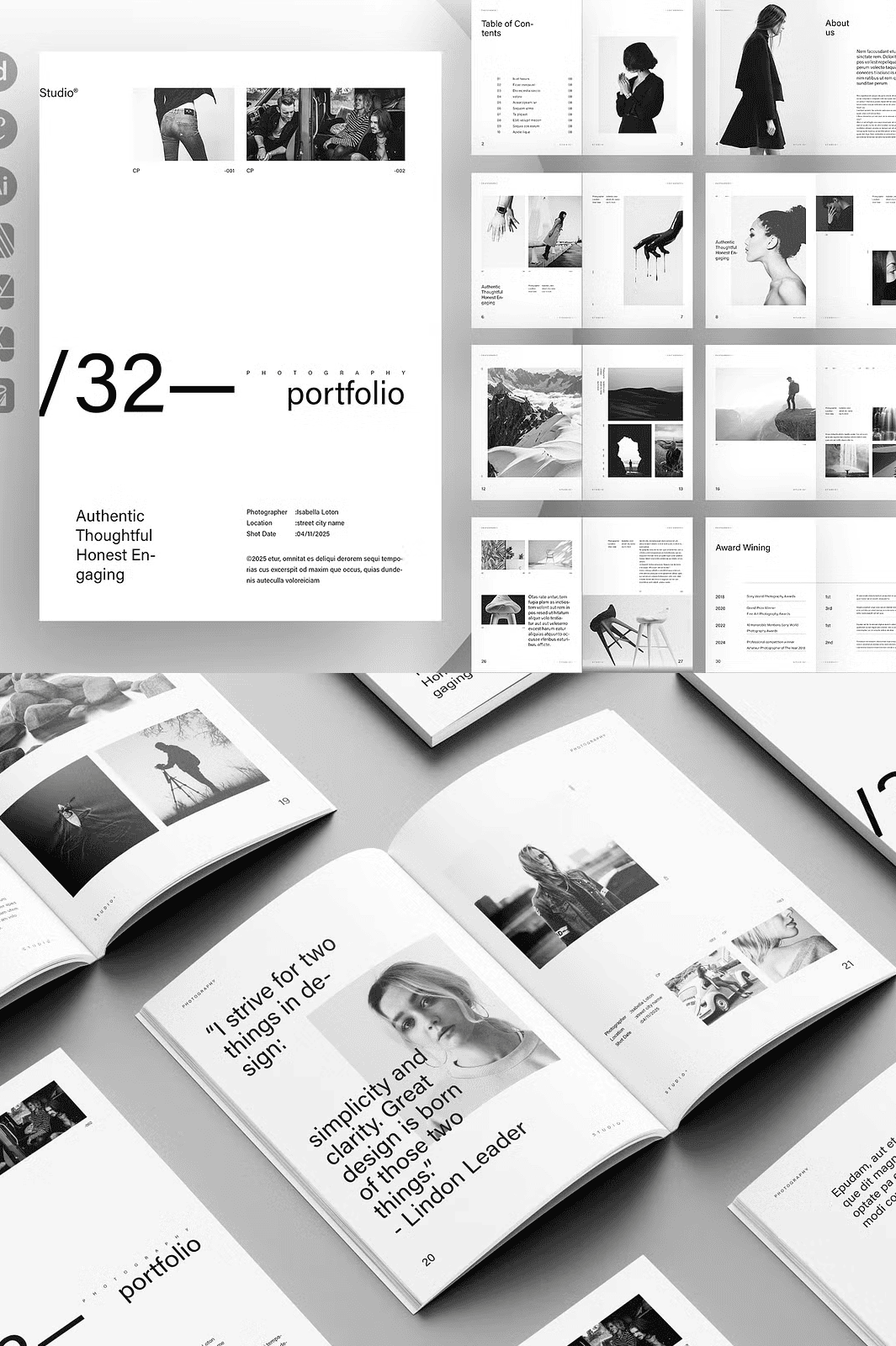
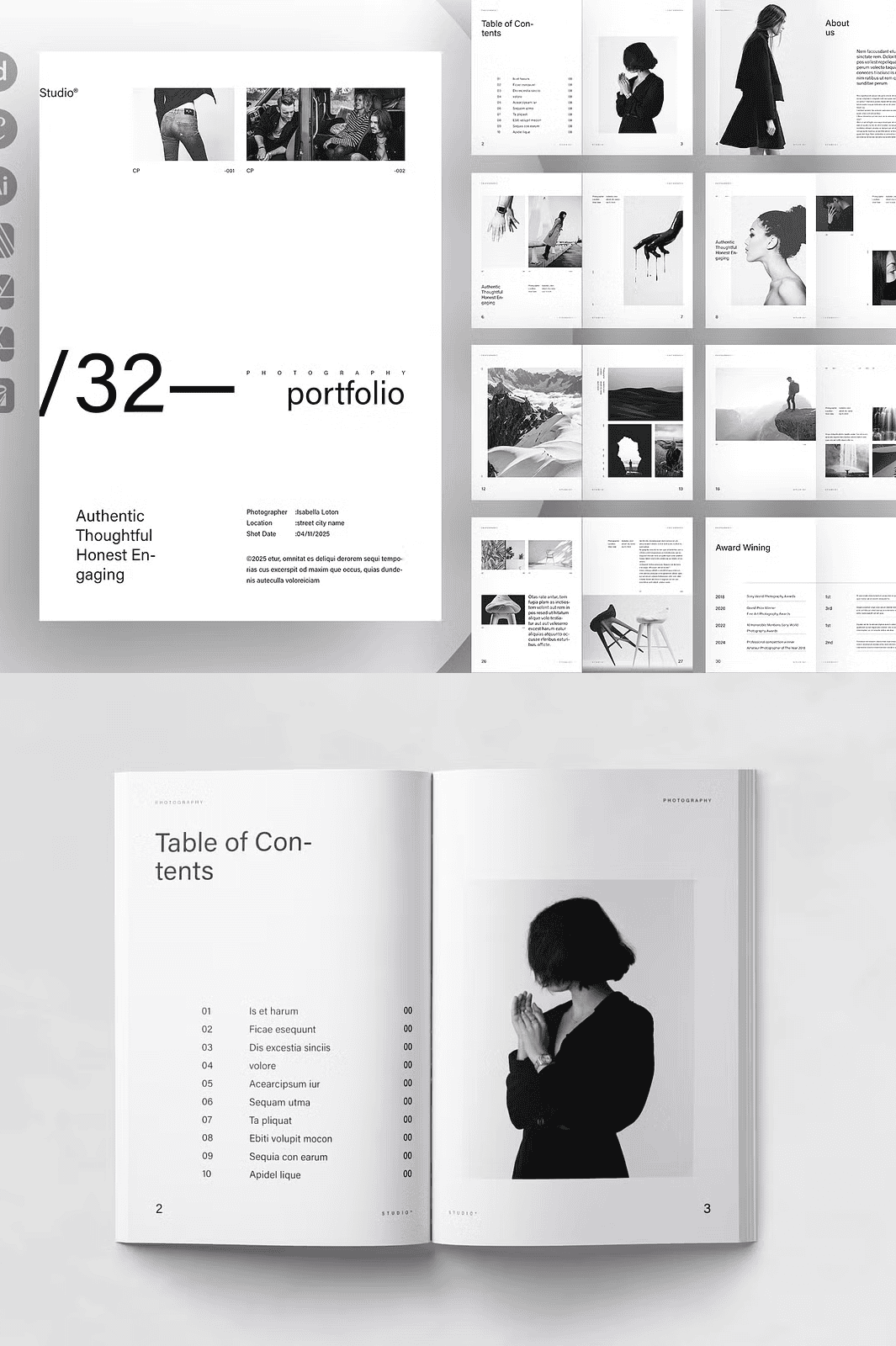
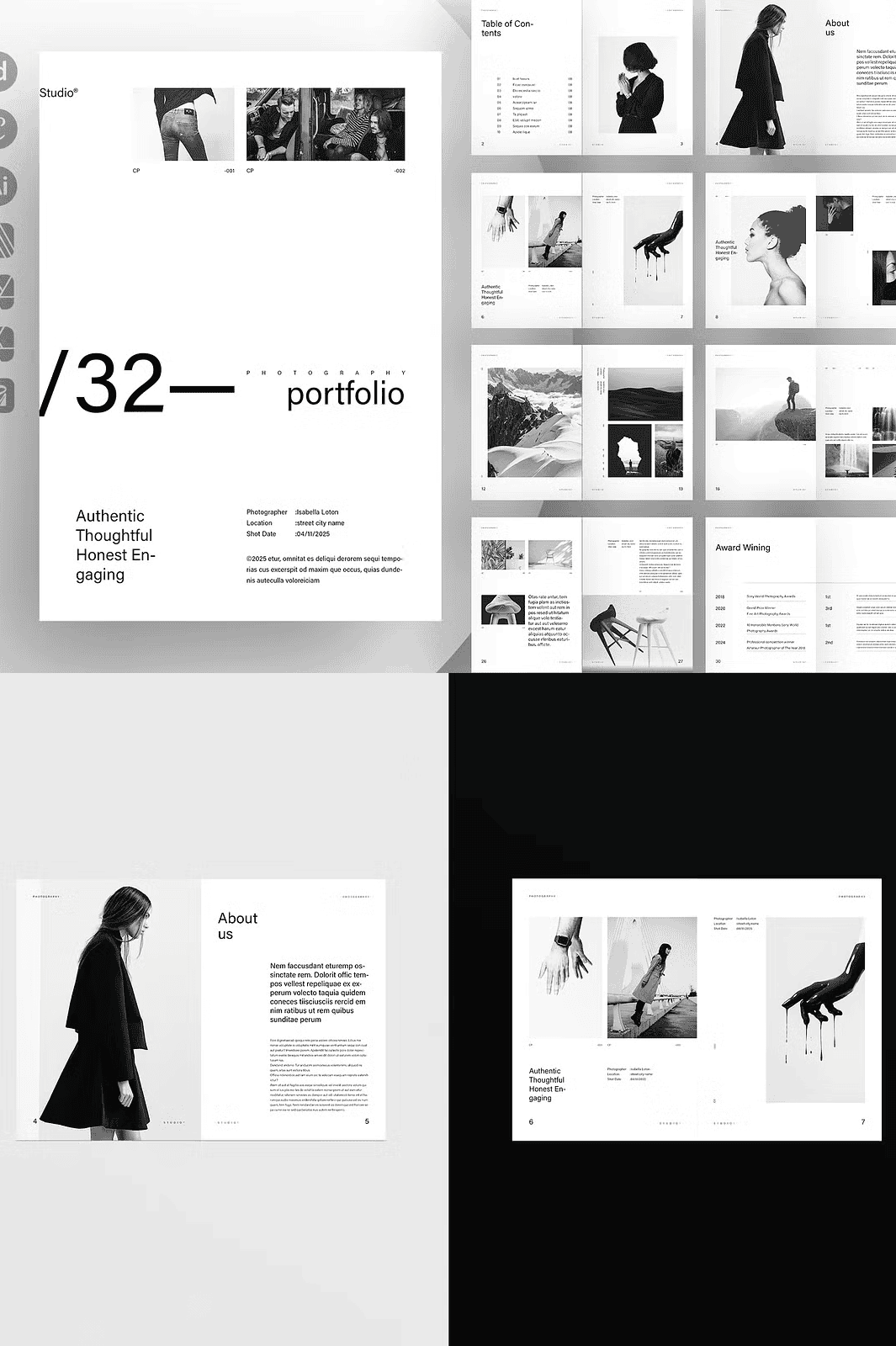
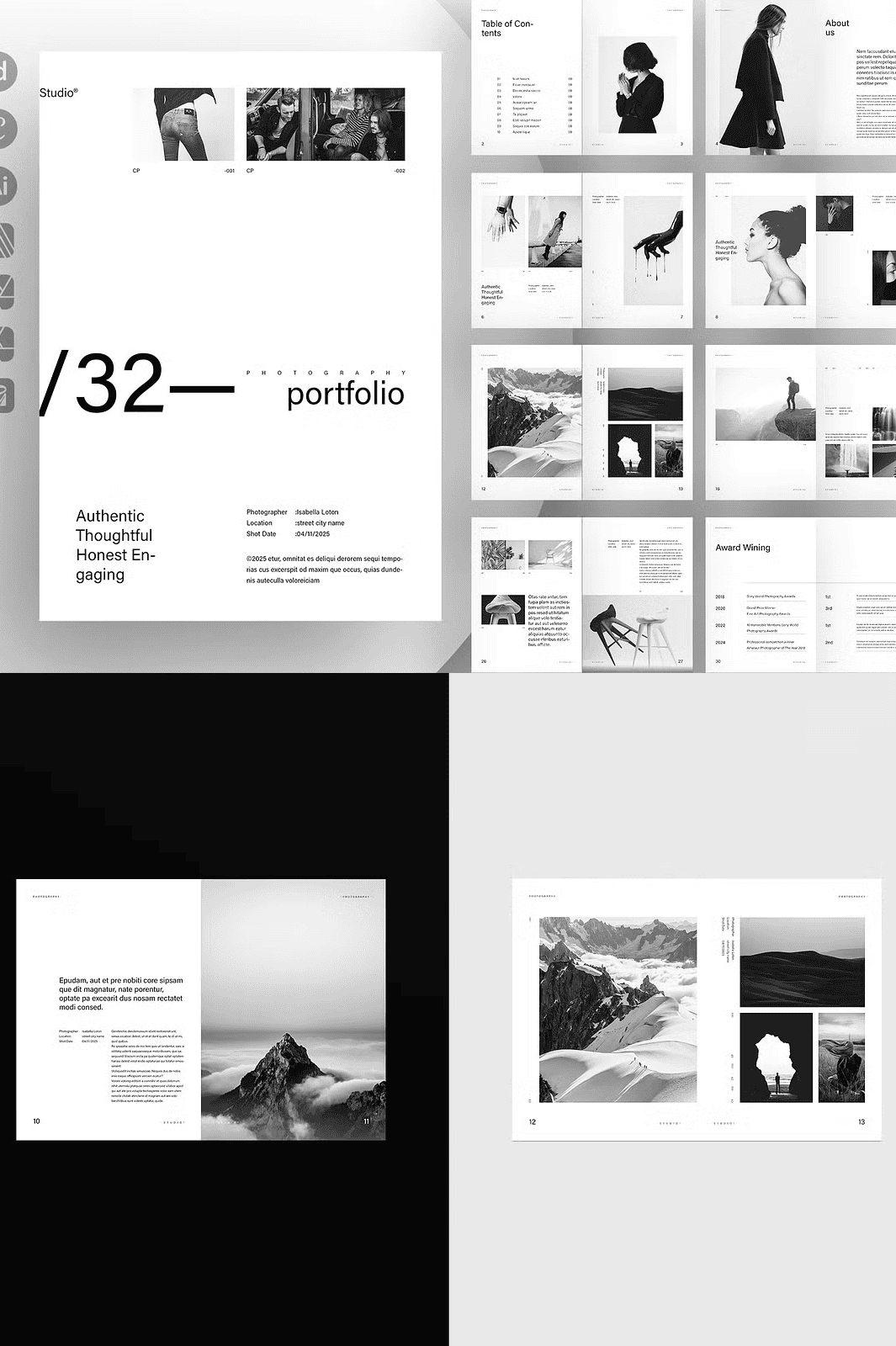
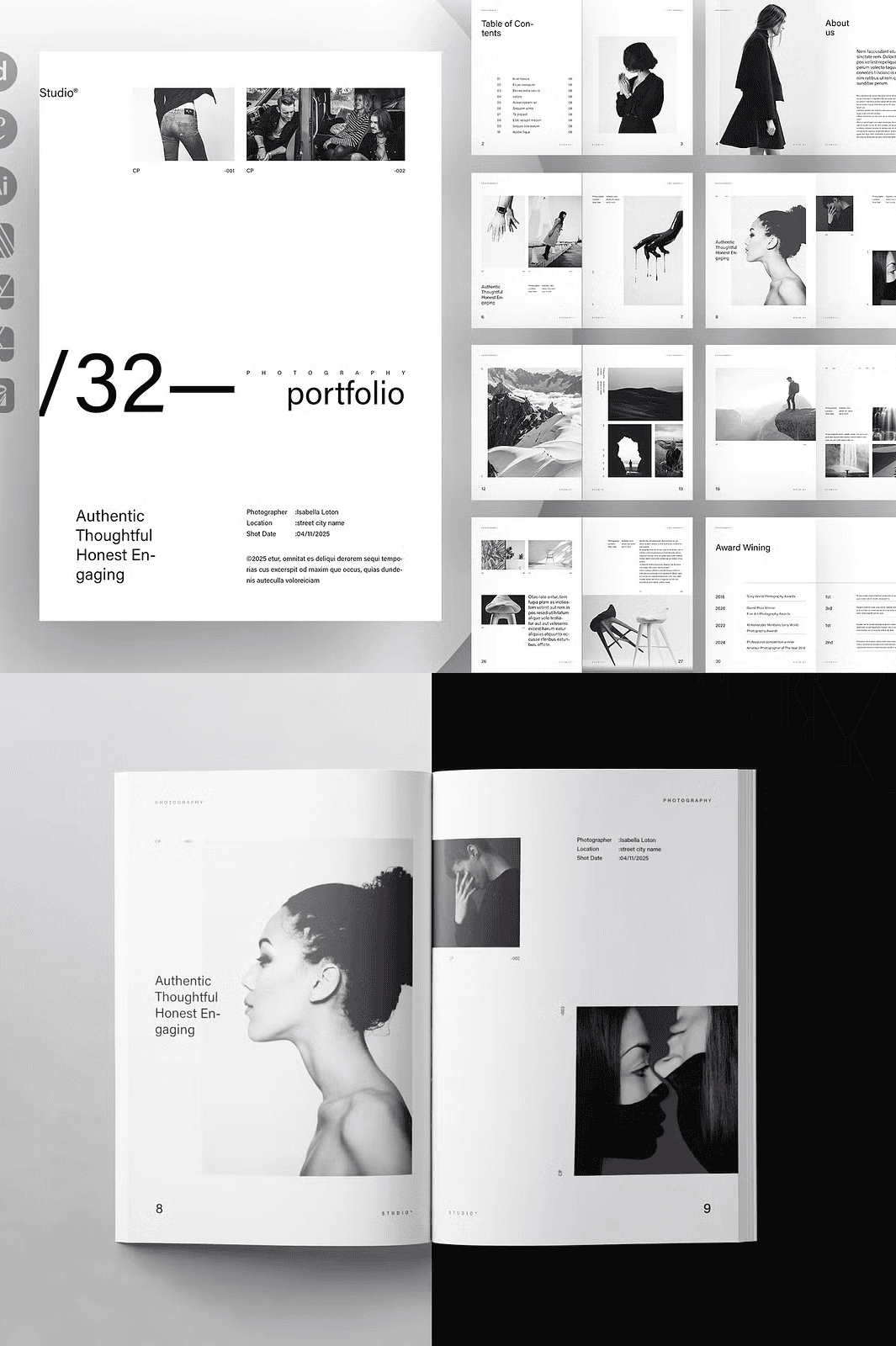
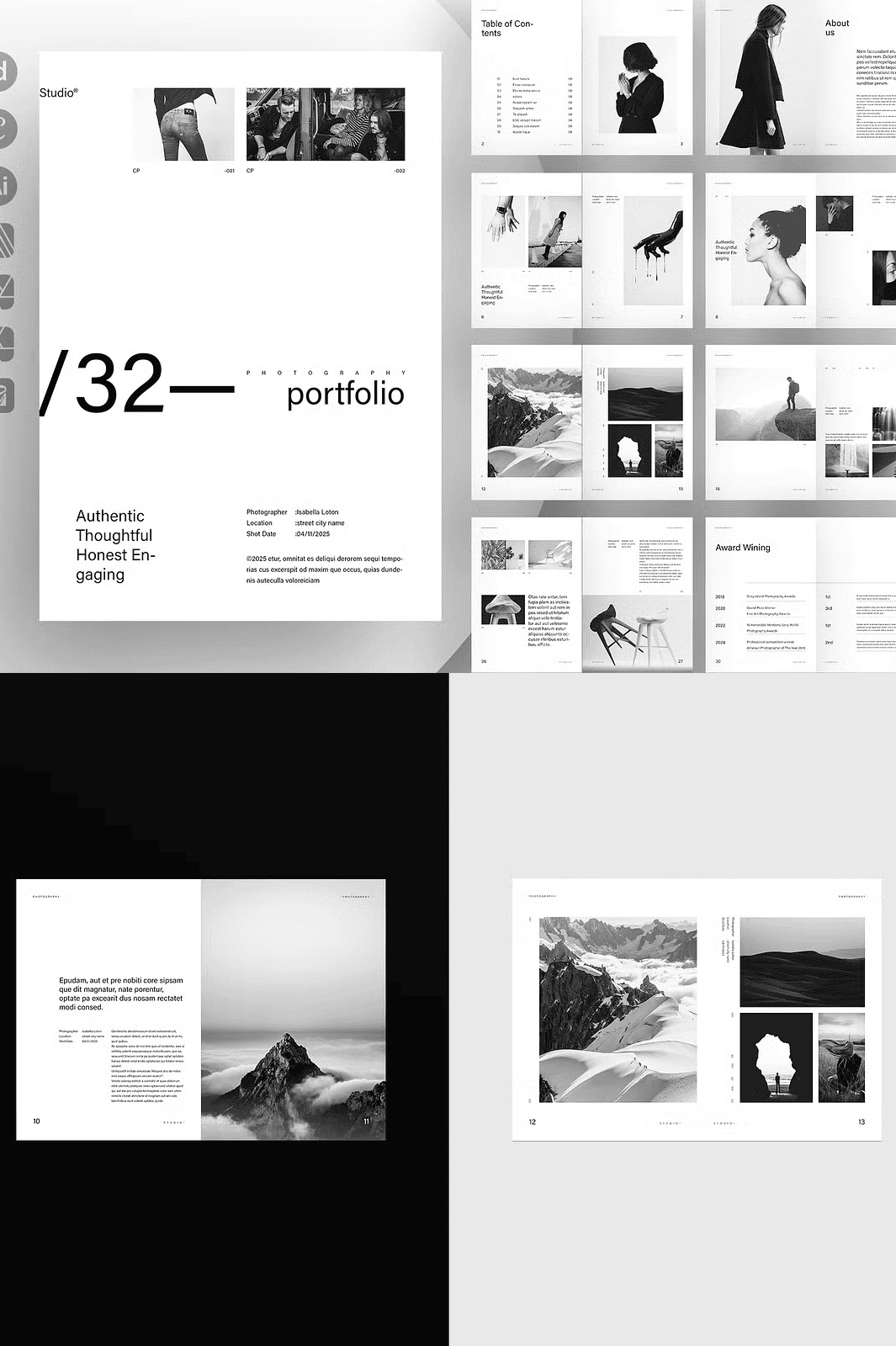
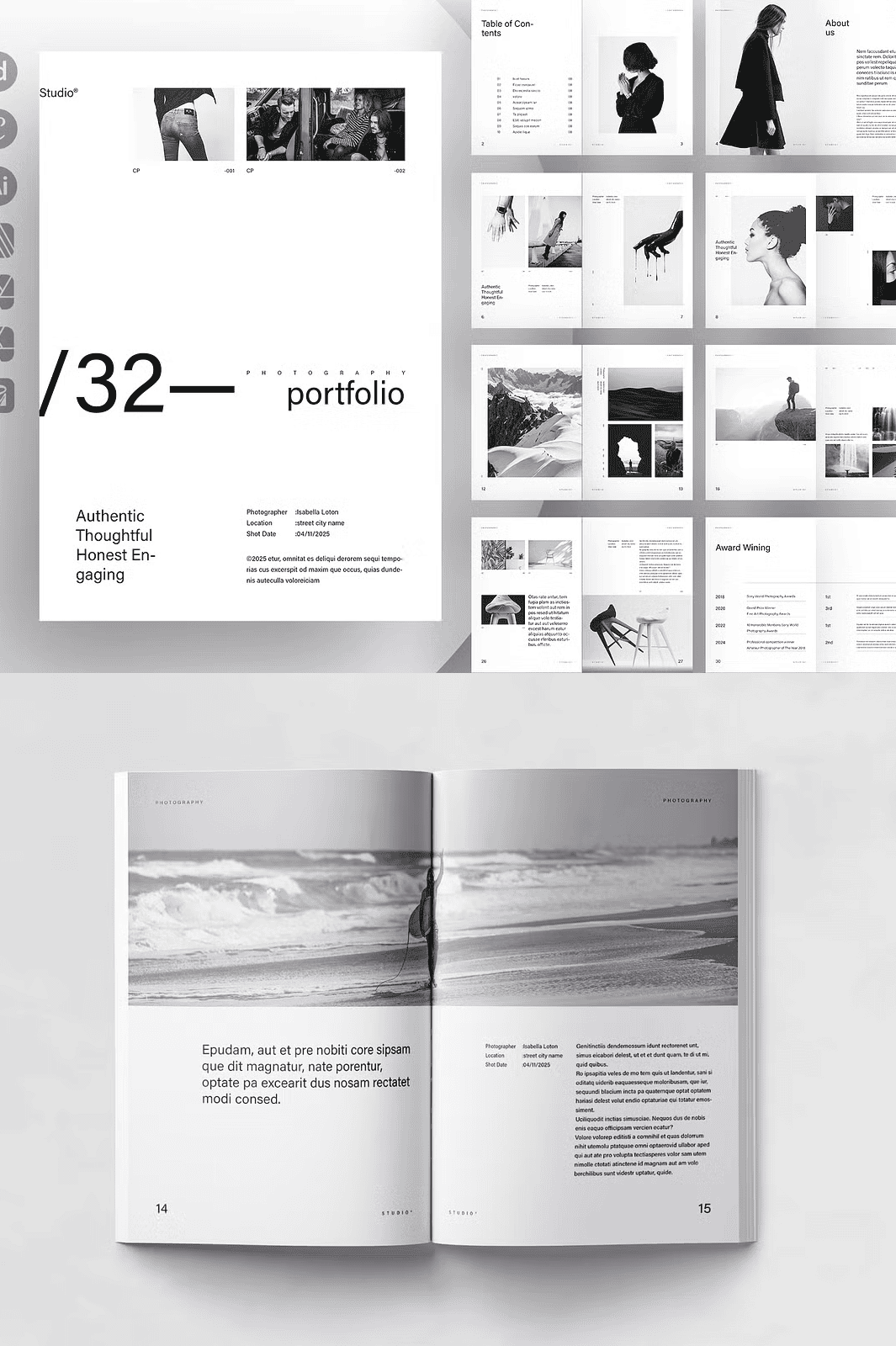
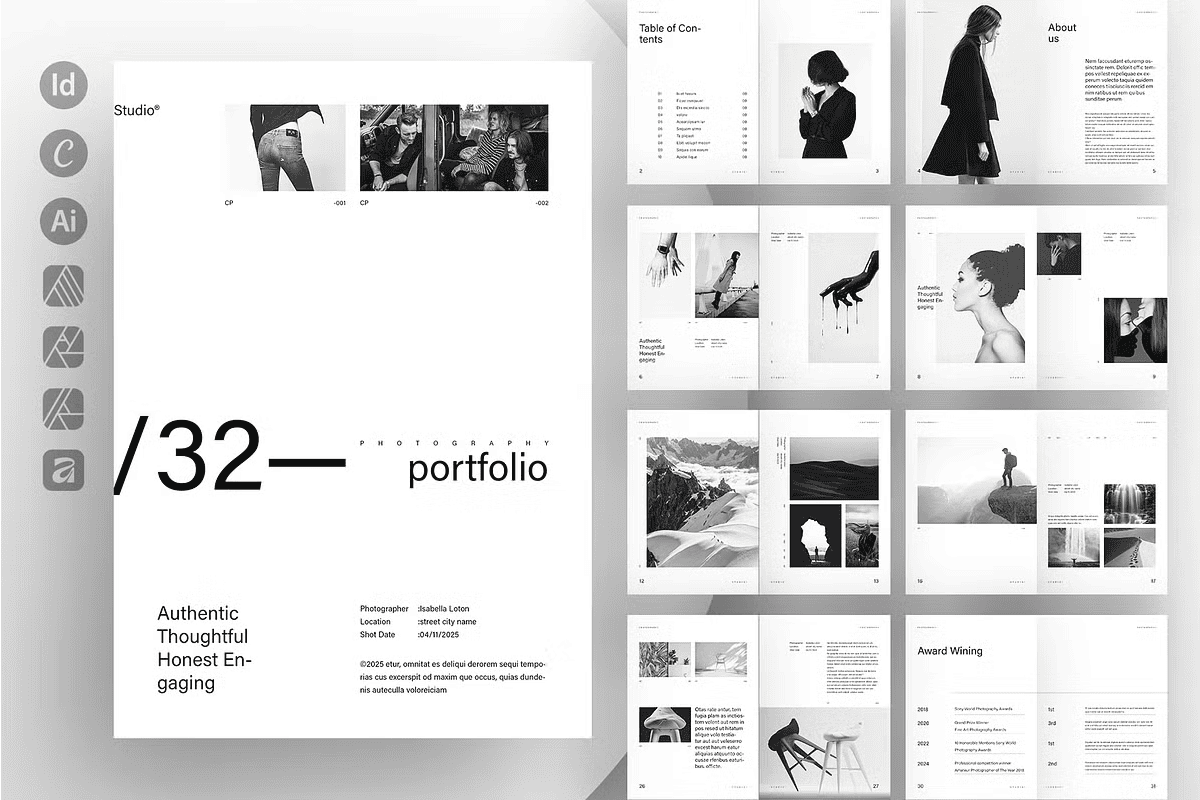
Stop letting your talent get lost in amateur layouts. The **Photography Portfolio Template** is engineered for creatives who demand visual excellence and professional clarity. Whether you’re a freelance photographer, visual artist, or design professional preparing for a job application, gallery submission, or client pitch, this template delivers a seamless blend of elegance, functionality, and flexibility.
Built with precision for **Adobe InDesign, Canva, and Affinity Designer**, this template supports multiple format options and ensures your work stands out with a polished, gallery-worthy finish. With a clean, modern aesthetic, intentional spacing, and thoughtful grid structures, every image you showcase will be highlighted in its best possible light.
Key Features: A Complete Creative Toolkit
– ✅ **32 Custom Page Layouts** – From single-image focus to dynamic multi-photo spreads, choose the arrangement that matches your artistic vision
– ✅ **Print-Ready at 300 DPI, CMYK Color Mode** – Perfectly optimized for professional printing, ensuring rich colors and crisp details
– ✅ **3mm / 0.125in Bleed Included** – No cropping issues; your images extend to the edge with confidence
– ✅ **Multiple File Formats Ready** – Accessible across platforms: INDD, INDT, IDML (InDesign), Canva link, and Affinity-compatible files
– ✅ **Fully Editable in All Supported Apps** – Swap photos, edit text, adjust colors, and refine graphics with ease
– ✅ **Character & Paragraph Styles Pre-Defined** – Maintain typographic consistency across all pages with one-click formatting
– ✅ **Auto Page Numbering System** – Automatically updates page numbers with one change — no manual rework
– ✅ **One-Click Color Theme Override** – Change your entire layout’s palette in seconds using centralized color swatches
– ✅ **Free Fonts Included (with links)** – Use high-quality, legible typefaces without licensing concerns
– ✅ **Comprehensive Help File** – Step-by-step guide for setup, installation, and customization in all platforms
Seamless Workflow Across Platforms
Whether you prefer the power of desktop design software or the convenience of web-based tools, this template fits your workflow.
**In Adobe InDesign (CC, CS4–CS6):**
– Open the INDD or IDML file with a compatible version
– Replace placeholder images and text using the linked assets
– Use the pre-styled layers and master pages to maintain consistency
– Export in PDF/X-4 format for print or PDF/A for digital sharing
**In Canva (Online/APP):**
– Create your free account at [www.canva.com](https://www.canva.com)
– Open the shared Canva link provided in the download
– Add the template to your library and begin editing instantly
– Replace stock images with your own projects
– Customize text, layout blocks, and color themes with real-time preview
– Export as PDF, PNG, or directly share via link to clients or social media
**In Affinity Designer (v2+):**
– Open the compatible Affinity file (.afdesign or .afphoto)
– Use the pre-defined layers and guide system for clean composition
– Edit colors, text, and image frames with precision
– Export in print-optimized formats with embedded bleed and crop marks
Perfect for Every Creative Journey
– Submit high-impact portfolios for photography grants, awards, or gallery openings
– Prepare standout job applications that impress hiring managers and creative directors
– Deliver client-ready presentations with a consistent visual identity
– Build a digital portfolio that’s as powerful as your print material
– Scale your personal brand with a template that grows with your success
Why This Template Outshines the Rest
– **No Design Training Required** – Intuitive structure makes editing accessible to beginners
– **Consistent Branding Across Projects** – Maintain a singular, professional look every time
– **Time-Saving Automation** – Avoid repetitive formatting — use templates, master pages, and style systems
– **High Production Value** – Print-optimized quality ensures your work looks premium on paper and screen
– **Designed for Creatives, Not Compromises** – Respects your artistic intent while providing practical tools
Simple 4-Step Process to Your Perfect Portfolio
1. **Purchase & Download** – Get instant access to all files after completing checkout
2. **Choose Your Platform** – Decide whether to use InDesign, Canva, or Affinity
3. **Open & Customize** – Replace placeholder images and text, adjust colors, refine layouts
4. **Export & Share** – Deliver your portfolio as PDF, print, or digital link — with confidence
Important Notes
– This is a **digital download product** — no physical items are shipped
– **Photos and mockups are for demonstration only** — they are not included
– All fonts are free to use and safe for commercial purposes
– For print, always test a sample page before bulk printing
– All sales are final due to the digital nature of the product
Need Help? We’re Just a Message Away
Have questions about installation, editing, or platform compatibility? Reach out to our support team — they’re here to help you unlock the full potential of this template so you can focus on what matters: your art.
Ready to Turn Your Portfolio into a Masterpiece?
Ditch the clutter. Eliminate design fatigue. With this professional Photography Portfolio Template, you’re not just sharing images — you’re telling a bold, polished, and unforgettable visual story.