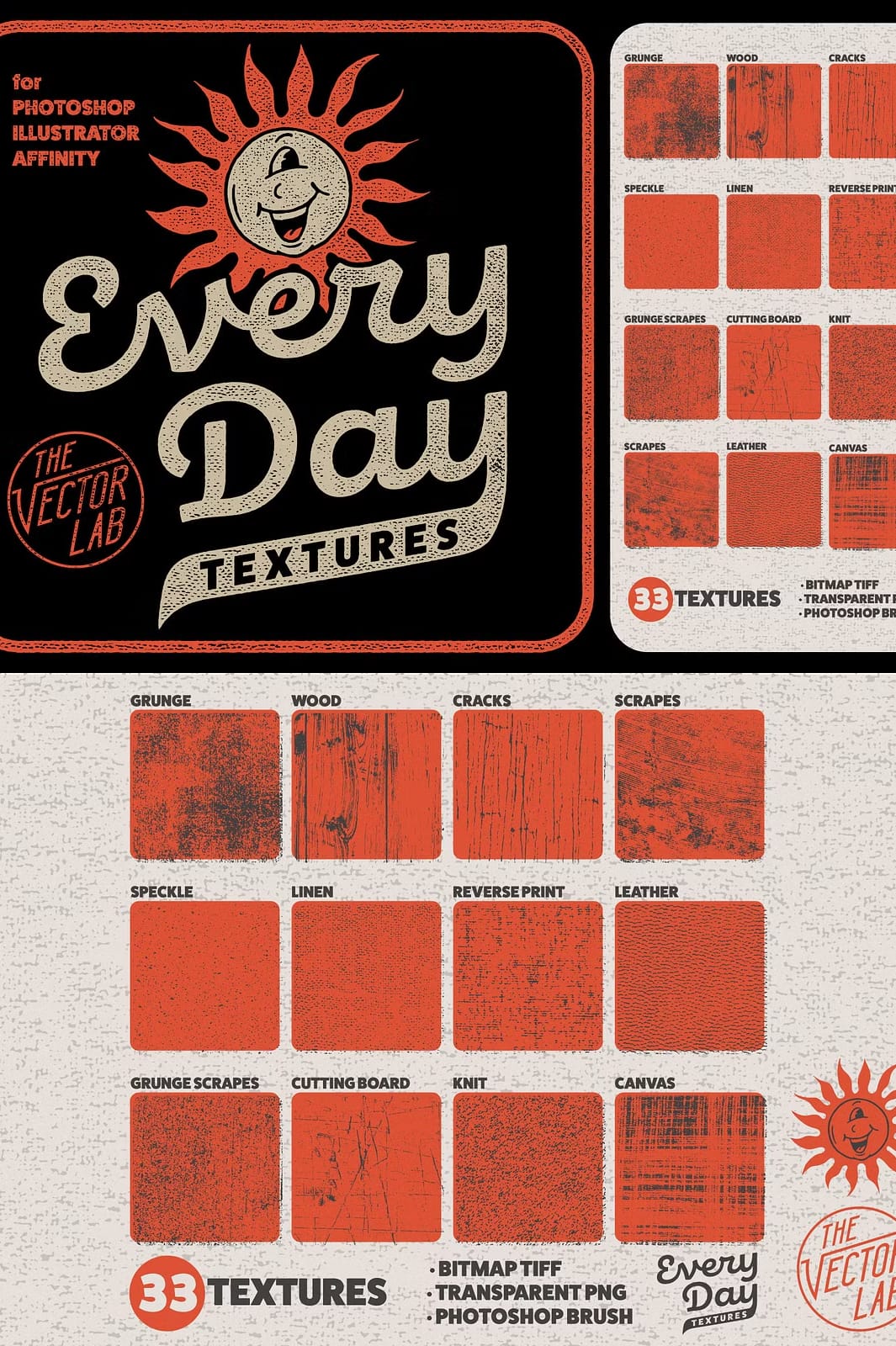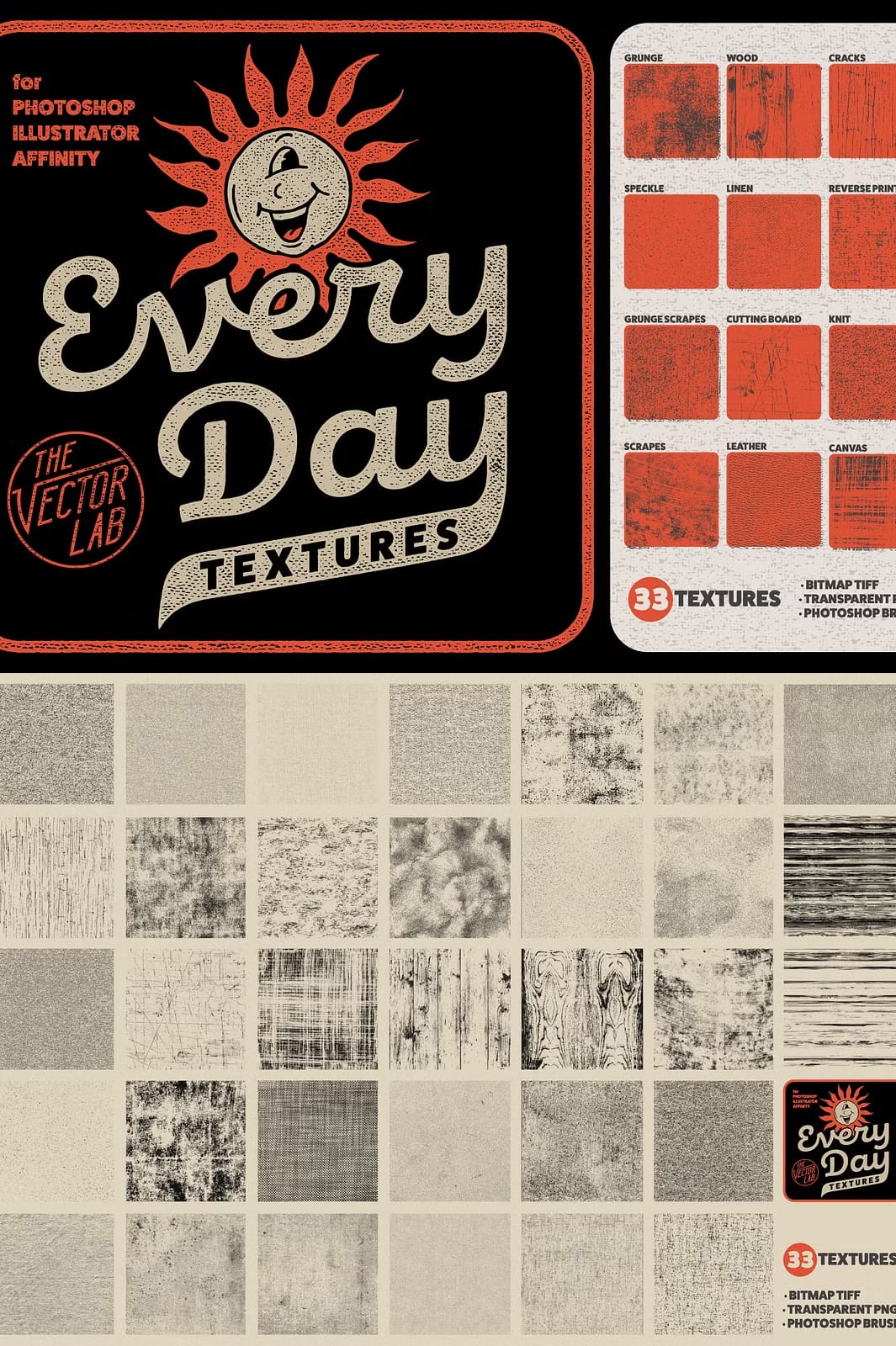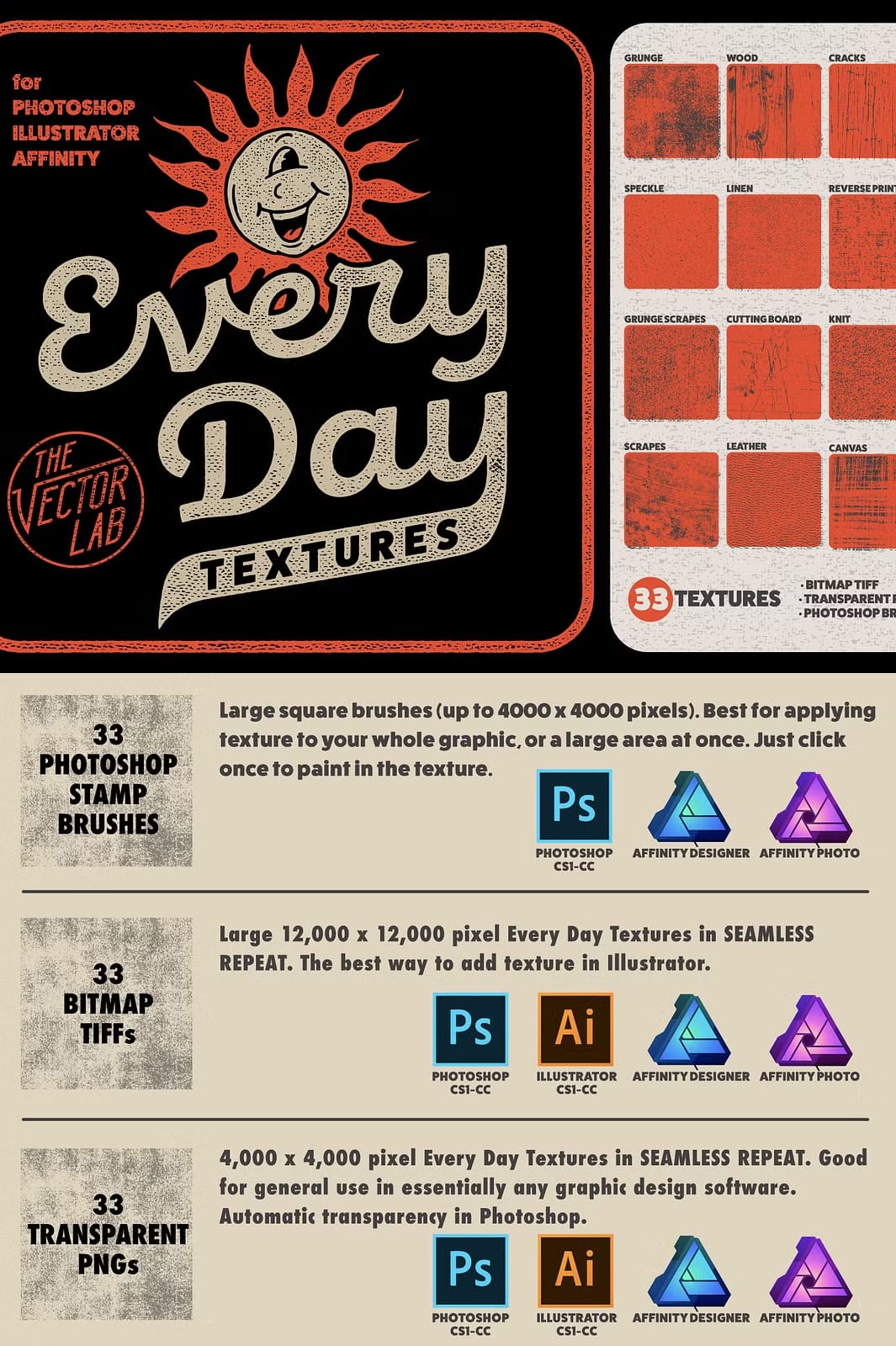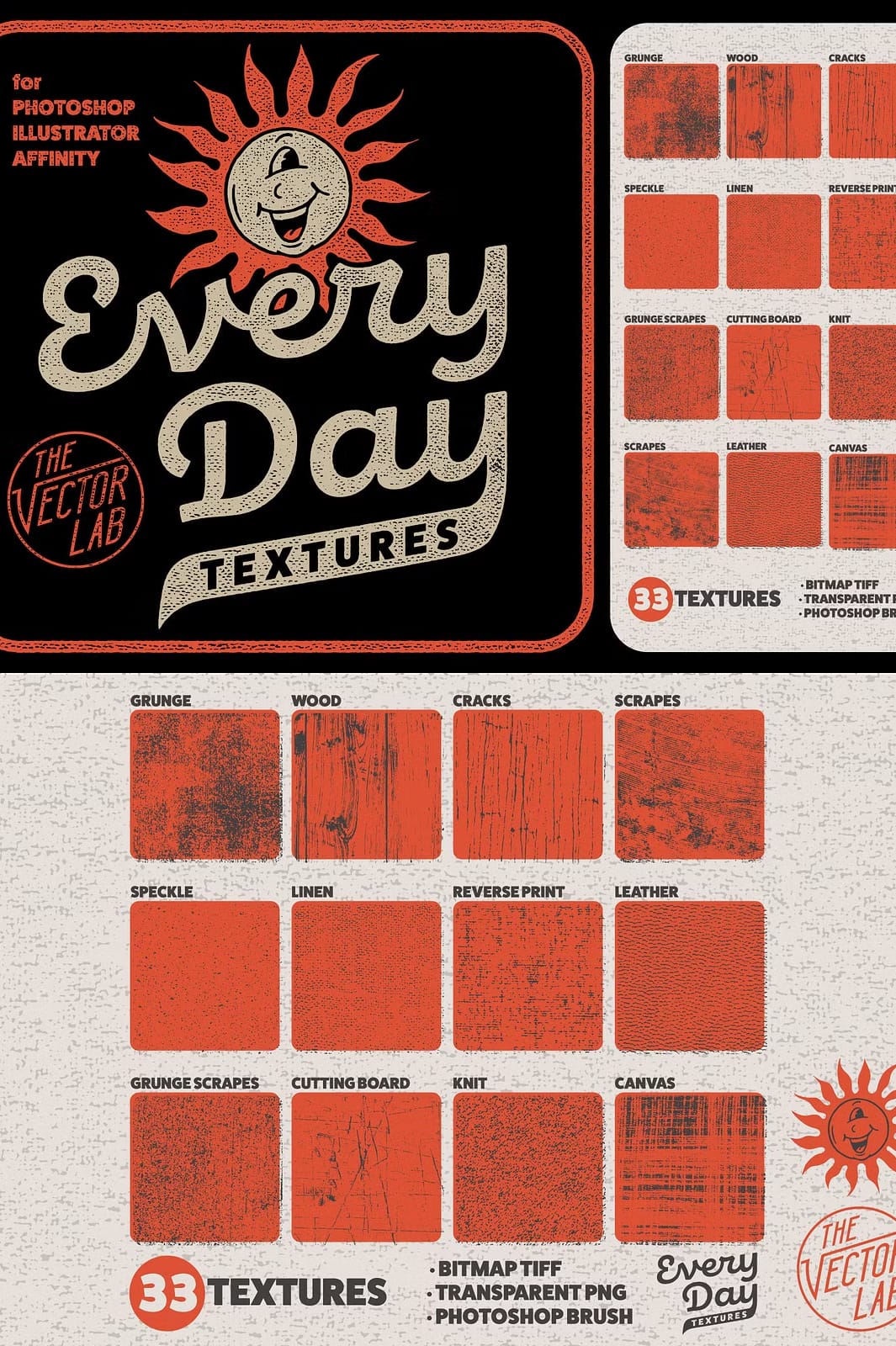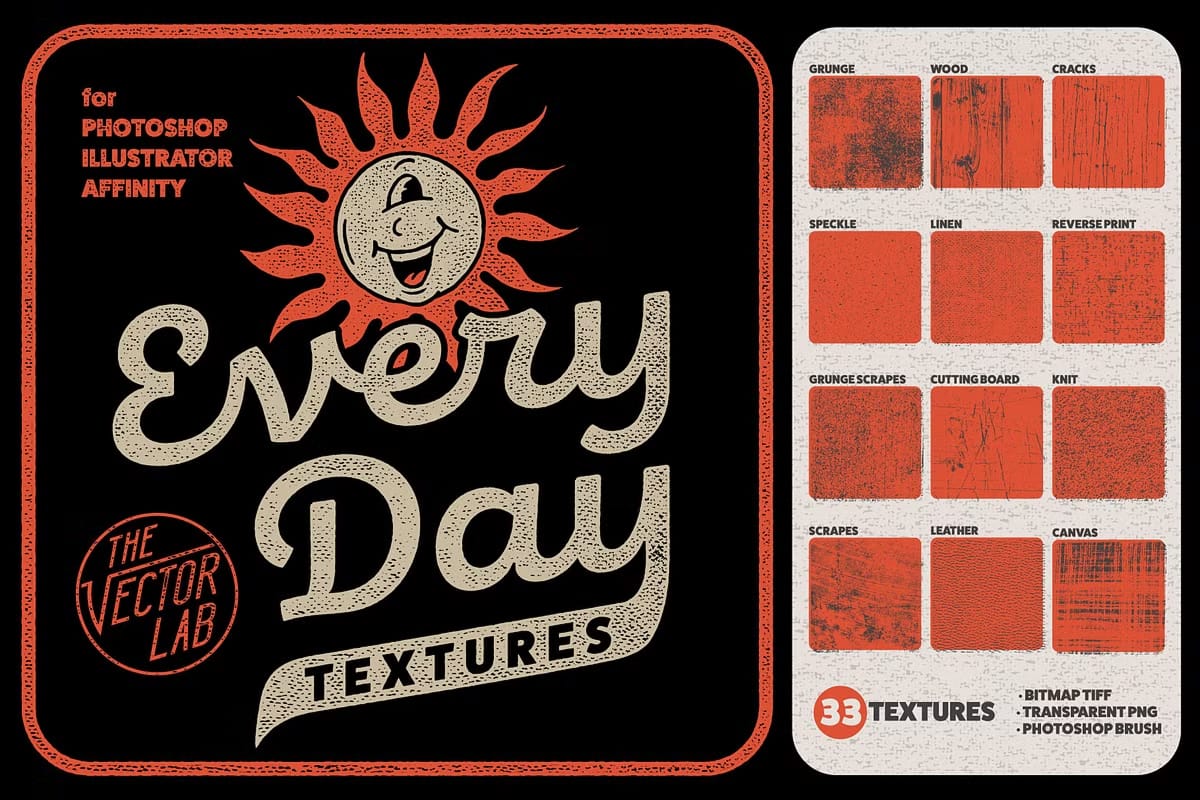

Elevate your design projects with the Every Day Textures collection, an essential set of 33 high-quality distress textures thoughtfully crafted to bring life and character to your t-shirt designs, logos, typography, backgrounds, and illustrations. This expansive pack offers a diverse variety of textures including grunge, wood grain, cracks, scrapes, speckles, linen, leather, and fabric styles—ensuring that you can find the perfect texture to complement your creative vision.
Comprehensive Texture Pack for Multiple Creative Uses
The Every Day Textures pack is your go-to resource for adding authentic distressed effects across different design platforms. Its compatibility with Adobe Photoshop, Illustrator, Affinity Designer, and Affinity Photo makes it easy to integrate into your workflow. Whether you’re designing apparel, branding assets, or digital artwork, these textures will add a unique touch that stands out.
What You Get with Every Day Textures
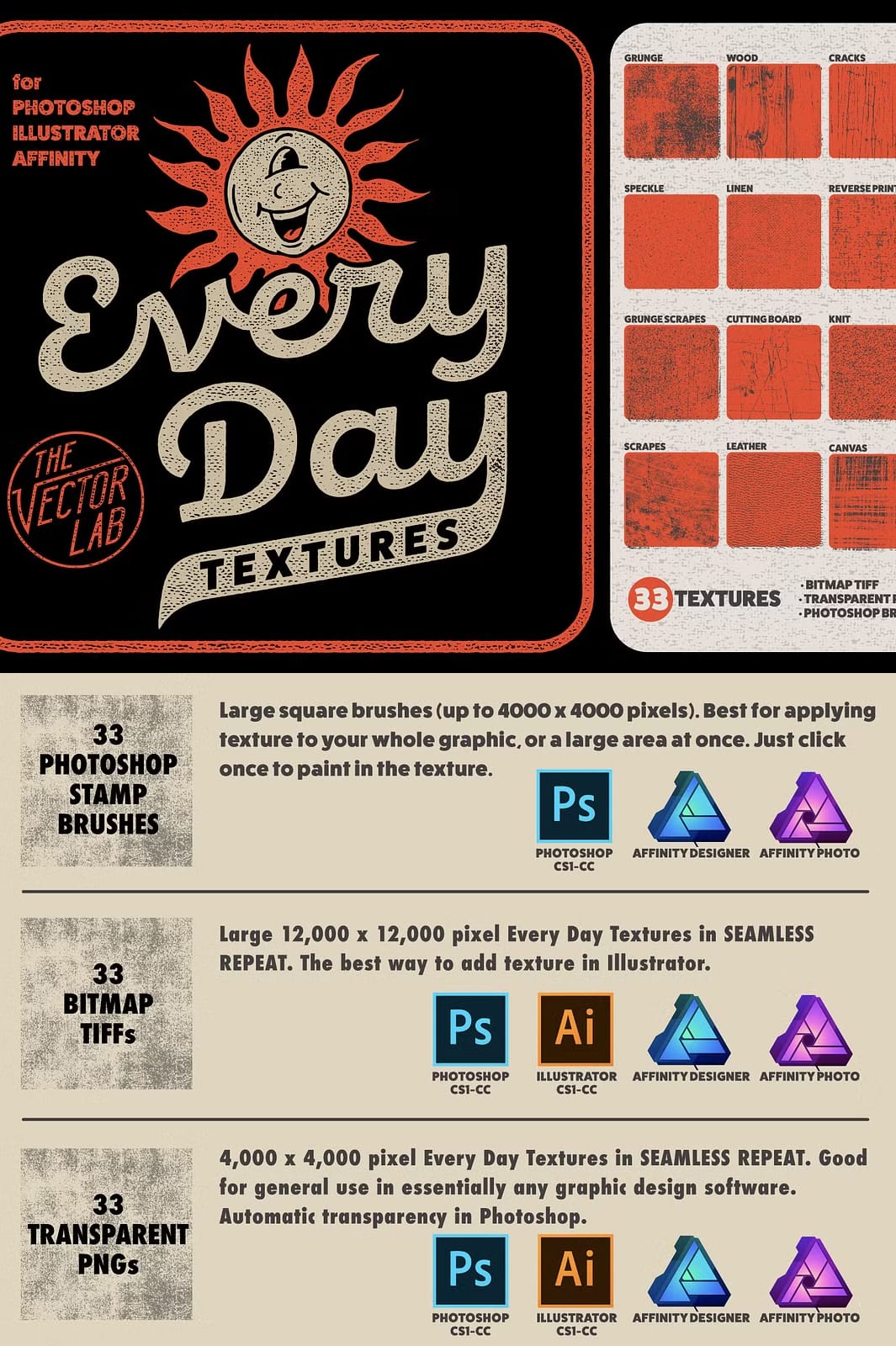
- 33 Distinct Textures in Bitmap TIFF, Transparent PNG, and Photoshop Brush formats, offering flexibility depending on your project needs.
- Bitmap TIFF Files: Ultra high-resolution 12,000 x 12,000 pixels files ideal for Adobe Illustrator and Photoshop, perfect for screen print production and color separations with clear black and white pixels and no greyscale.
- Transparent PNGs: High-quality 4000 x 4000 pixels with transparent backgrounds for effortless use in various design software.
- Photoshop Brushes: Loadable brushes compatible with versions from Photoshop CS1 through CC, and Affinity apps, allowing you to paint textures directly into your designs.
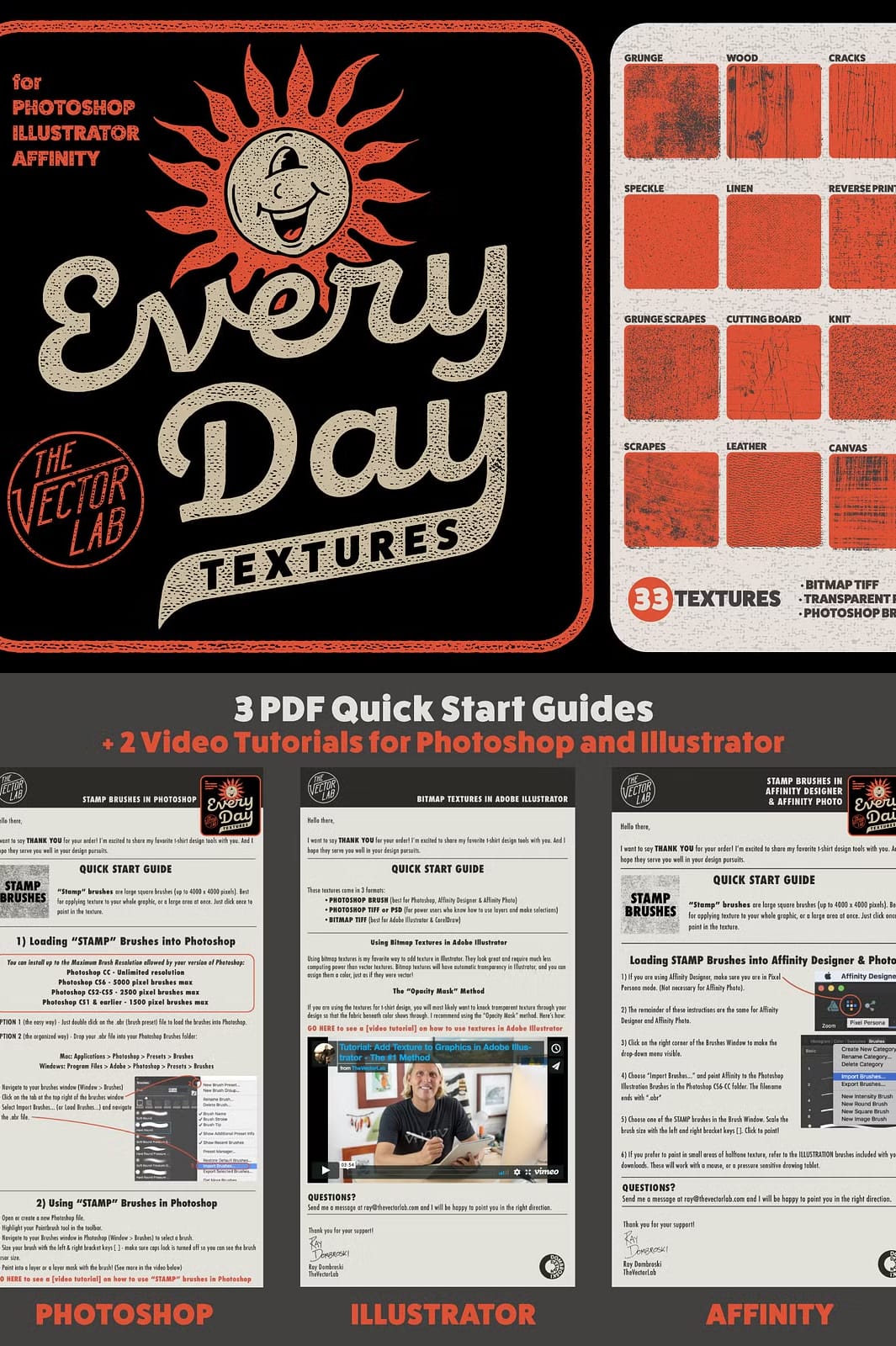
- PDF Quick Start Guides: Step-by-step instructions that demonstrate how to use the textures in Photoshop, Illustrator, and Affinity Designer, including advanced techniques like using Opacity Masks in Illustrator to create transparency effects.
How to Maximize the Use of Every Day Textures
- Import the brushes into your graphic software and select the texture style that enhances your design.
- Apply textures directly with Photoshop brushes or overlay PNGs for quick effects.
- Use Bitmap TIFF files in Illustrator for precise color separations and print-ready artwork with automatic transparency support.
- Experiment with opacity masks and layering techniques to customize texture intensity and placement.
- Create unique distressed effects that amplify your branding, apparel, or visual storytelling.
Bring a Dynamic Vintage and Textured Look to Your Design Projects